 By fengcainiao
Yes, you can use GPT Image 2 for free. GPT Image 2 is OpenAI’s image model, and its newest version, GPT Image 2.6, came out on November 4, 2026. It comes in two models: Flare, the fast one, and Sunburst, the detailed one. This guide shows the two free ways to use it, the cheap way developers use, and prompts that worked for us, with the images they made.
Ways to use GPT Image 2 for free
| Way | What’s free | What you need | Good for |
|---|---|---|---|
| ChatGPT, free plan | Images 2.6 in the chat, up to a limit OpenAI doesn’t publish | A free OpenAI account | Quick images while you chat |
| Pop-cam | 2 images with a new account (2 free credits). You choose Flare or Sunburst, size and quality | An email sign-up, no card | Picking the model yourself, photo edits |
| OpenAI API | Not free: about 2 to 5 cents an image in our tests | An API key with billing set up | Apps and automation |
1. ChatGPT’s free plan
OpenAI released ChatGPT Images 2.6 on every ChatGPT plan, the free one included, on the web, desktop and mobile. To use it:
- Sign in at chatgpt.com or in the ChatGPT app with a free account.
- Ask for an image in plain words, for example “Make a birthday invitation for a seven-year-old with a picnic theme”.
- Ask for changes in the same chat (“make the balloons pink”) and download the one you like.
The catch is the limit. Free accounts can make only a limited number of images, and OpenAI doesn’t publish the exact number. If you want to choose between Flare and Sunburst, or set the quality and size yourself, use one of the next two ways.
2. Pop-cam: 2 free images, and you choose the model
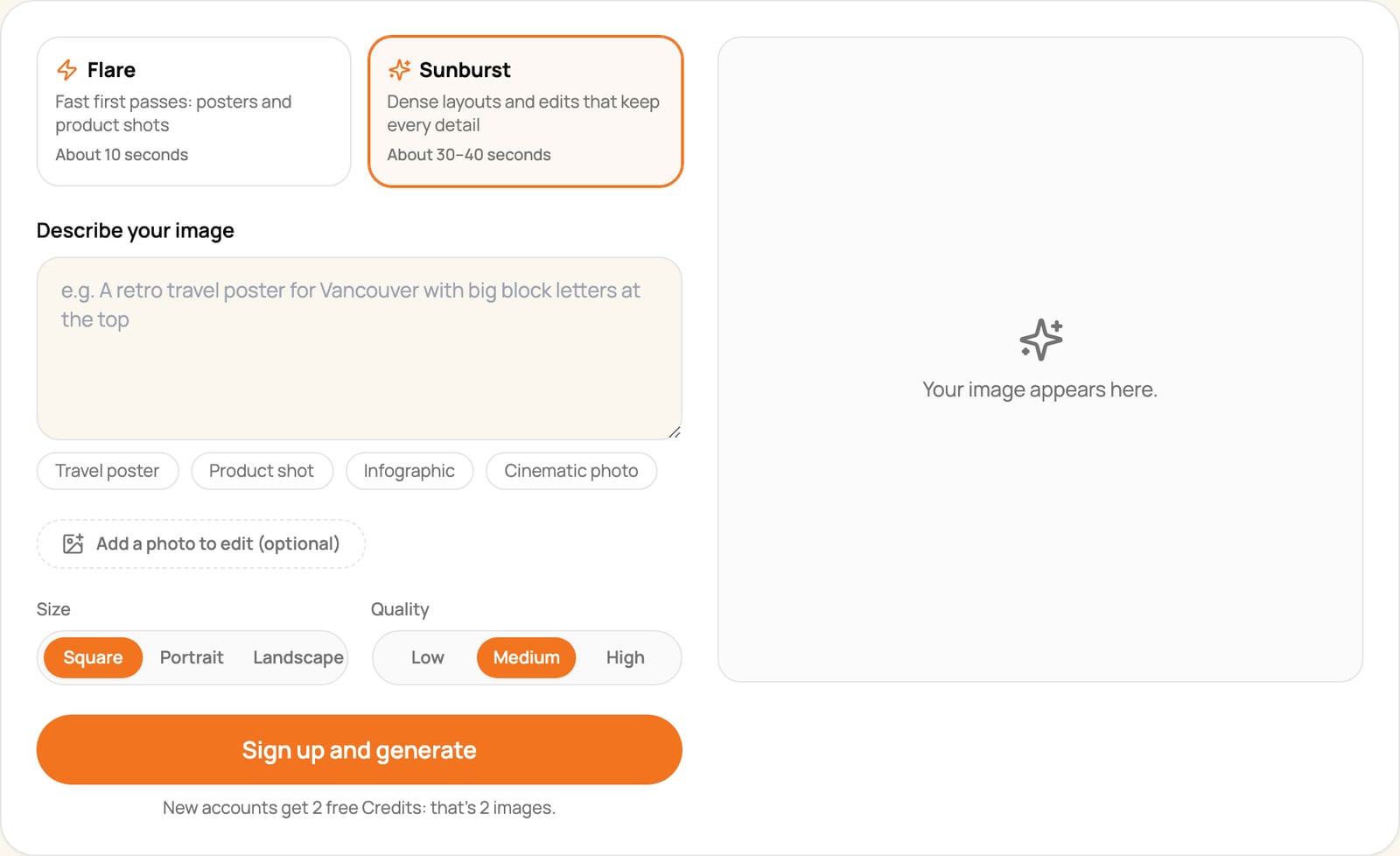
Pop-cam’s GPT Image 2.6 generator runs both models through OpenAI’s API and lets you choose the settings. A new account gets 2 free credits, and each image costs 1 credit at any setting, so that is 2 free images. You don’t need a card, and Pop-cam doesn’t add a watermark.
- Open the GPT Image 2.6 page.
- Choose Flare (about 10 seconds) or Sunburst (about 30 to 40 seconds).
- Describe your image, or tap an example: Travel poster, Product shot, Infographic or Cinematic photo.
- To edit a photo instead, click Add a photo to edit and say what to change.
- Choose the size (square, portrait or landscape) and the quality (low, medium or high).
- Click Sign up and generate and make your account. Pop-cam brings back your prompt and settings afterwards (a photo you added has to be added again), so you only click Generate.
- Download the result, or click Edit this image to keep changing it. Every image is also saved in My generations.
Since low, medium and high all cost 1 credit, use medium or high for your free images. Choose Flare for posters, product photos and thumbnails, and Sunburst when the image has a lot of text.
3. The OpenAI API (cheap, not free)
If you write code, the API is the most direct way in. It isn’t free: you add billing to your OpenAI account and pay by the token. In our tests that came to $0.020 for a low-quality image and $0.034 for a medium one. OpenAI says you may need to complete API Organization Verification before you can use the GPT Image models.
curl https://api.openai.com/v1/images/generations \
  -H "Authorization: Bearer $OPENAI_API_KEY" \
  -H "Content-Type: application/json" \
  -d '{
    "model": "gpt-image-2.6-flare",
    "prompt": "Studio product photo of a matte black water bottle...",
    "size": "1024x1024",
    "quality": "medium"
  }'
Our Flare vs Sunburst test has the full price table and a setting that makes Sunburst twice as fast.
GPT Image 2 prompts that work
We made these with GPT Image 2.6 Flare at medium quality. Each one shows the exact prompt and how long it took.
A product photo
Studio product photo of a matte black insulated water bottle with a bamboo cap, standing on a wet slate surface. Soft rim light, small water droplets, shallow depth of field, dark moody background, premium advertising look. No logo on the bottle.
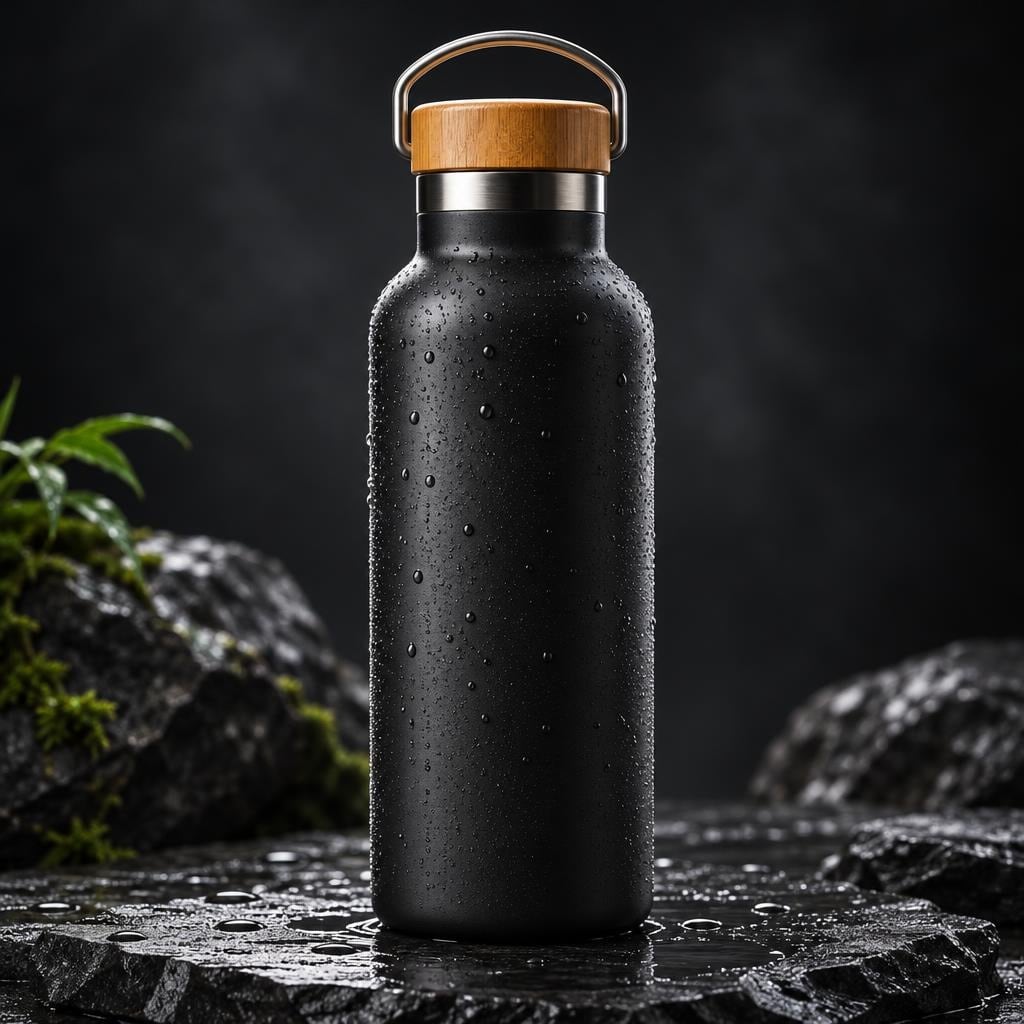
Say what the product is made of, what it stands on and how it is lit. “No logo” stops the model from inventing a brand name.
An invitation with real text
A birthday party invitation card that reads ‘Maya Turns 7!’ in big playful rounded letters, with the line ‘Saturday, June 14 · 2 PM · Backyard Picnic’ below it. Hand-drawn balloons, a picnic blanket and confetti, pastel pink, mint and butter-yellow colors, white border, printable card layout.
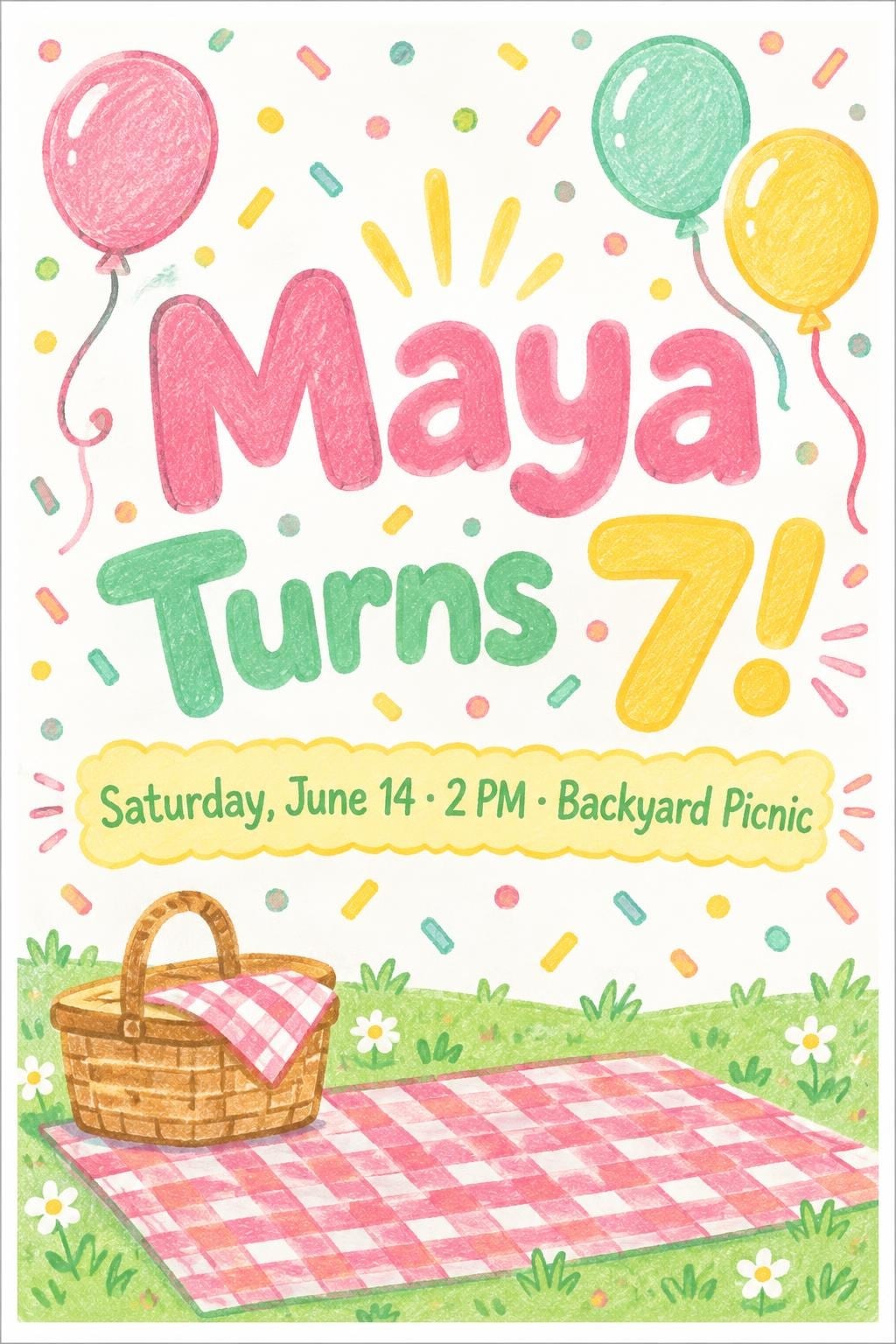
Put each piece of text in quotes and say where it goes. GPT Image 2.6 spelled every word on this card correctly on the first try.
A YouTube thumbnail
A YouTube-style thumbnail for a cooking video: a steaming bowl of spicy ramen with a soft-boiled egg on the right half, bold text ‘RAMEN IN 15 MIN’ on the left in thick white letters with a black outline, bright red and yellow background, high contrast, punchy and clean.
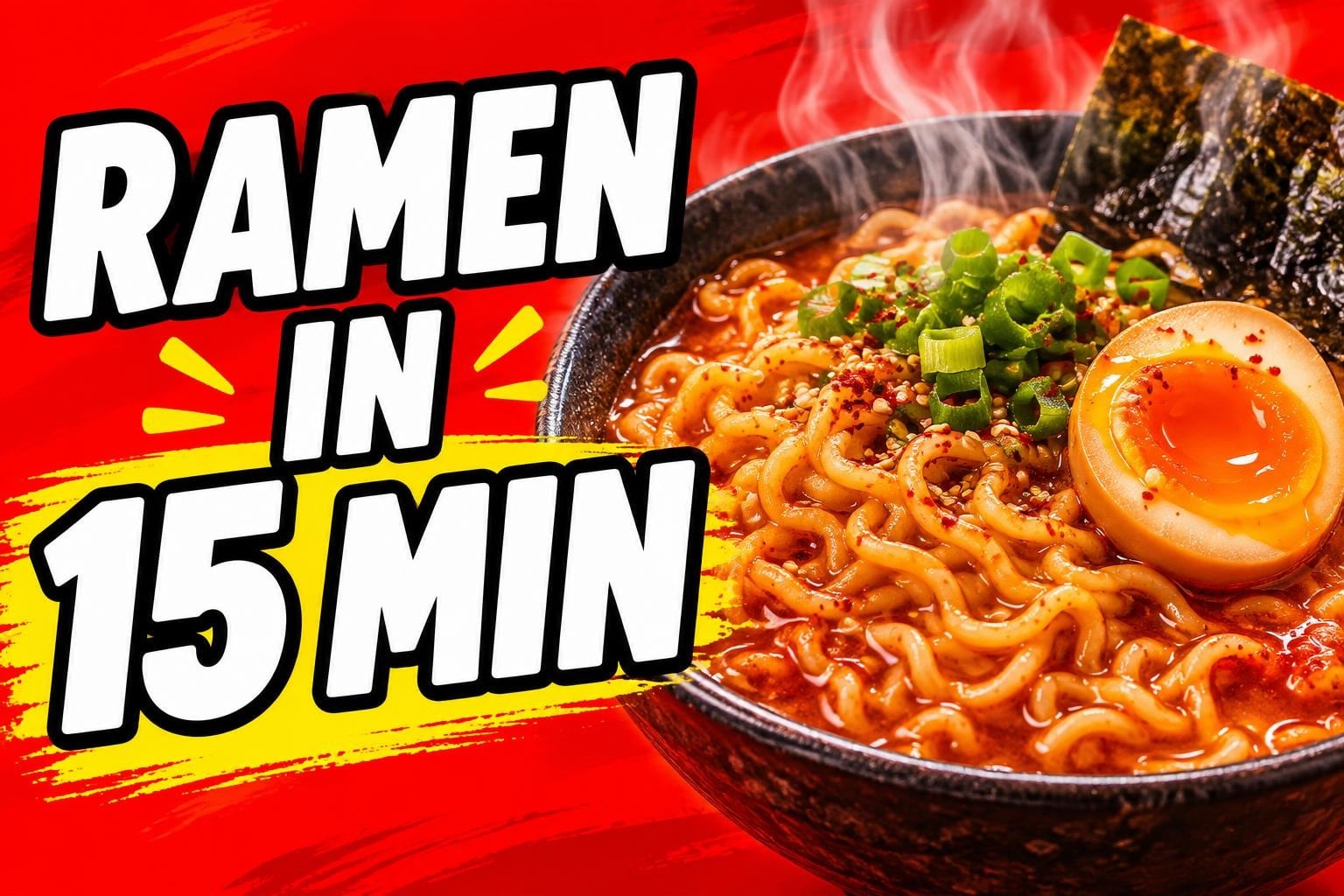
Thumbnails need contrast more than detail. Name the text color and outline, and say which half of the frame the text goes in.
Edit a photo with one sentence
Keep the same bottle shape, cap and camera angle. Change the bottle color to sage green and move it outdoors onto a smooth beach rock at sunrise, with soft warm light and a blurred ocean behind.
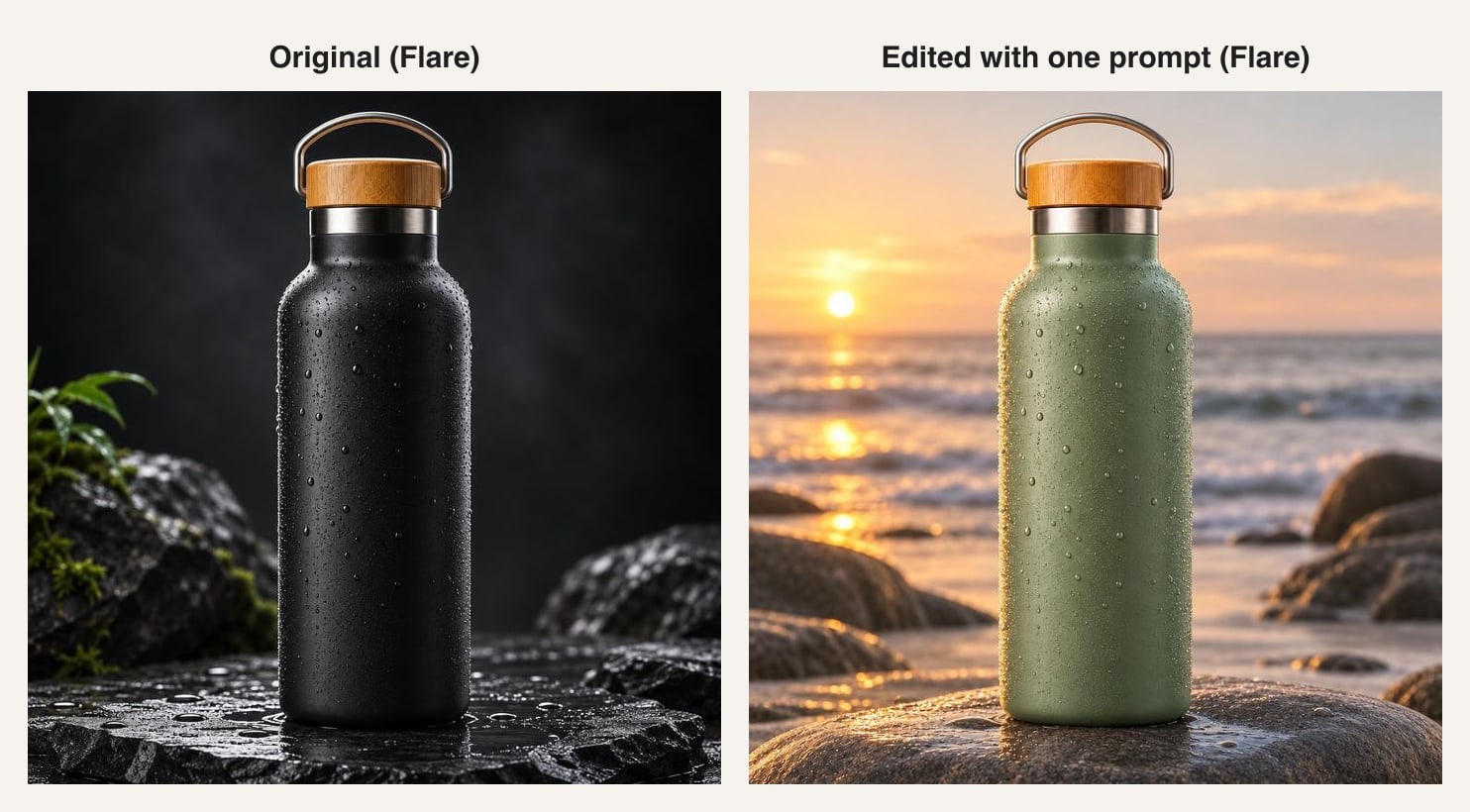
Start an edit by saying what to keep, then what to change. Flare kept the bottle’s shape, cap and camera angle, and changed only the color and the scene.
Prompt tips
- Put any text you want in the image in quotes, exactly as it should be spelled.
- Describe the layout: what goes at the top, in the middle and at the bottom.
- Name two or three colors instead of saying “colorful”.
- Say what you don’t want: no logo, no text, no people.
- Use Sunburst for infographics, menus and anything with a lot of small text.
Be careful with “free GPT Image 2” sites
Search for “GPT Image 2 free” and you will find many sites that say they offer it. Before you upload anything, check three things: the site names the model version it runs, it says how many free images you get, and it doesn’t ask for a card for the free ones.
FAQ
Is GPT Image 2 free?
The model itself is a paid OpenAI product, but you can use it for free in ChatGPT’s free plan (with a limit) and with the 2 free credits a new Pop-cam account gets.
Is GPT Image 2.6 on the ChatGPT free plan?
Yes. OpenAI released ChatGPT Images 2.6 on all ChatGPT plans, the free plan included.
Can I use GPT Image 2 without signing up?
Not with any of the options in this guide: ChatGPT, Pop-cam and the OpenAI API all need an account. Pop-cam’s sign-up asks for an email, not a card.
What’s the difference between GPT Image 2 and GPT Image 2.6?
GPT Image 2 came out in April 2026. Version 2.5 split it into Flare and Sunburst, and 2.6 made both faster and added animated GIFs, SVG output and a complexity setting in the API.
How many free images do I get on Pop-cam?
Two. A new account gets 2 free credits, and a GPT Image 2.6 image costs 1 credit at any size and quality.
Does Pop-cam add a watermark?
No. You download the image as GPT Image 2.6 made it.
Sources
- OpenAI: Image generation guide
- OpenAI: GPT-Image-2.6 Flare model page
- OpenAI: GPT-Image-2.6 Sunburst model page
- OpenAI on X: the Images 2.6 launch post
- FoneArena: OpenAI rolls out Images 2.6
- OrcaRouter: OpenAI Images 2.6, GIFs and two API models