What is the Y2K camera aesthetic?
The Y2K camera aesthetic (the “Y2K cam” look) captures the unmistakable look of compact digital cameras from 1998–2005 — Canon PowerShot, Sony Cyber-shot, Nikon Coolpix, Casio Exilim. These cameras produced a signature combination of blown-out highlights, cool-toned color casts, visible CCD-sensor grain, and that distinct “digital glow.” Pop-Cam's Y2K camera tool reproduces that fingerprint on modern photos in about ten seconds. Curious how it stacks up against the warmer CCD-camera look? Read our deep dive: Y2K Camera vs CCD Camera: What’s the Difference?.
Y2K flash photography look
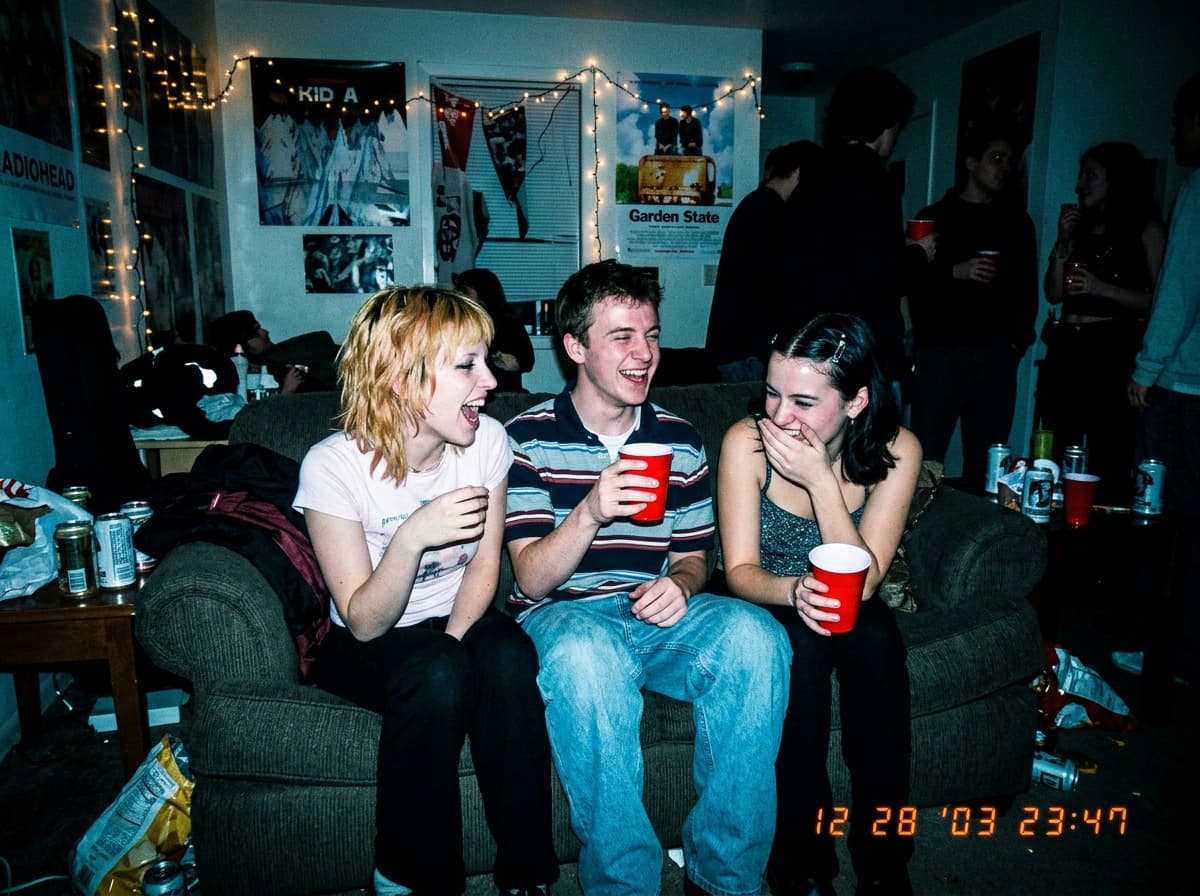
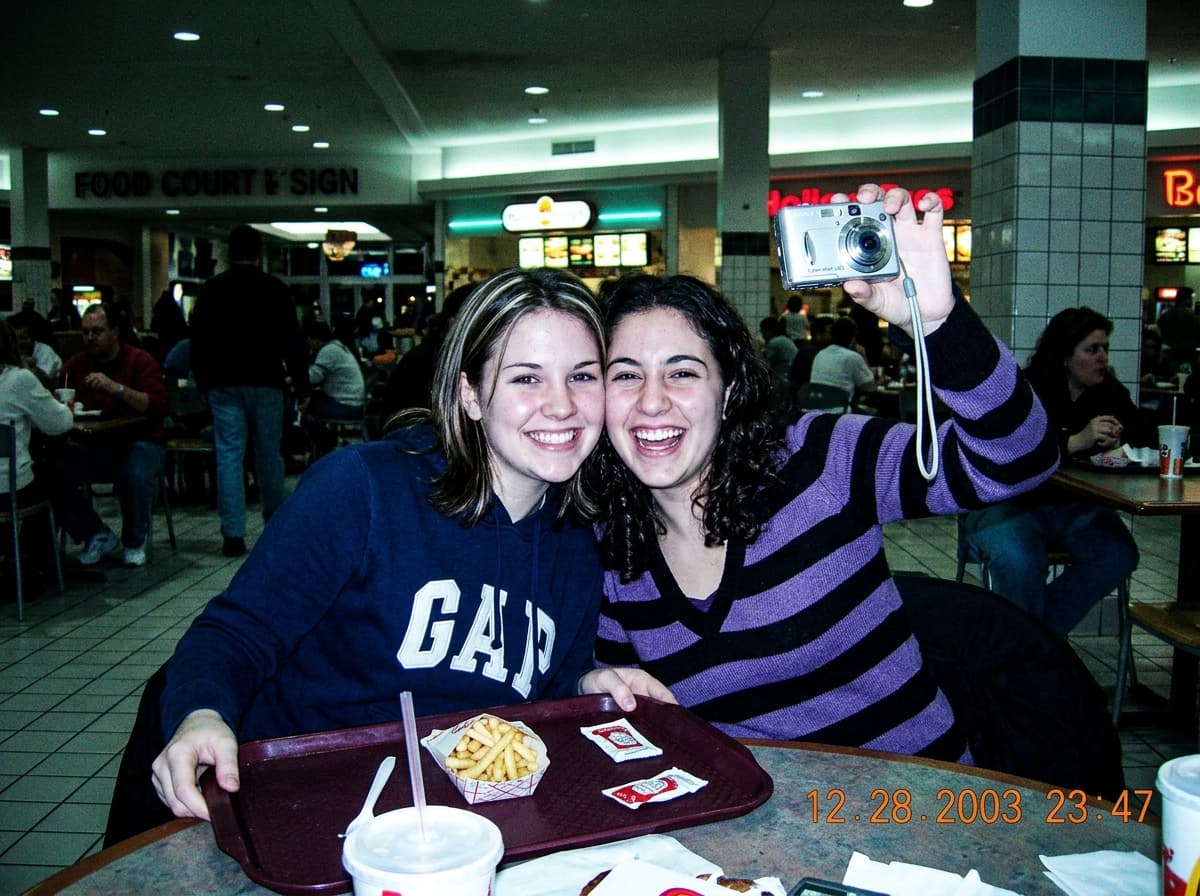
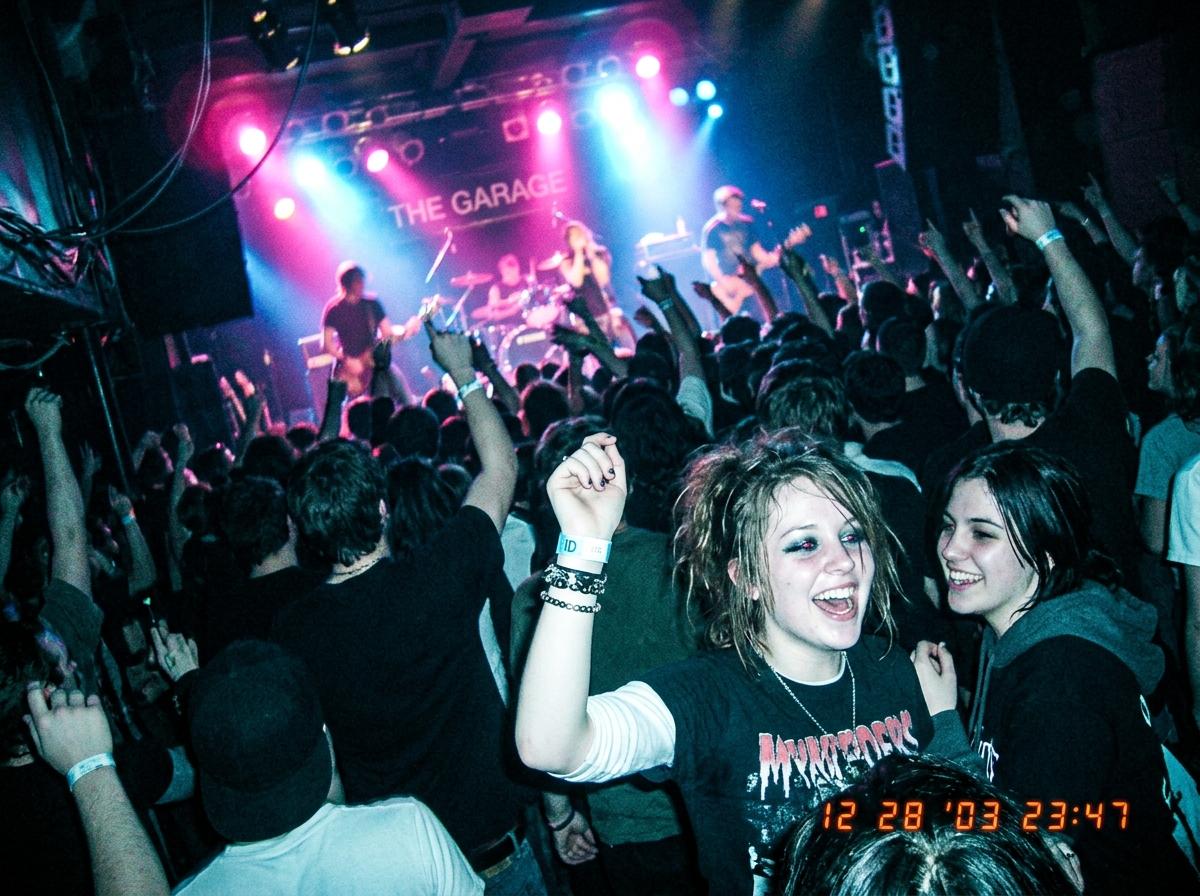
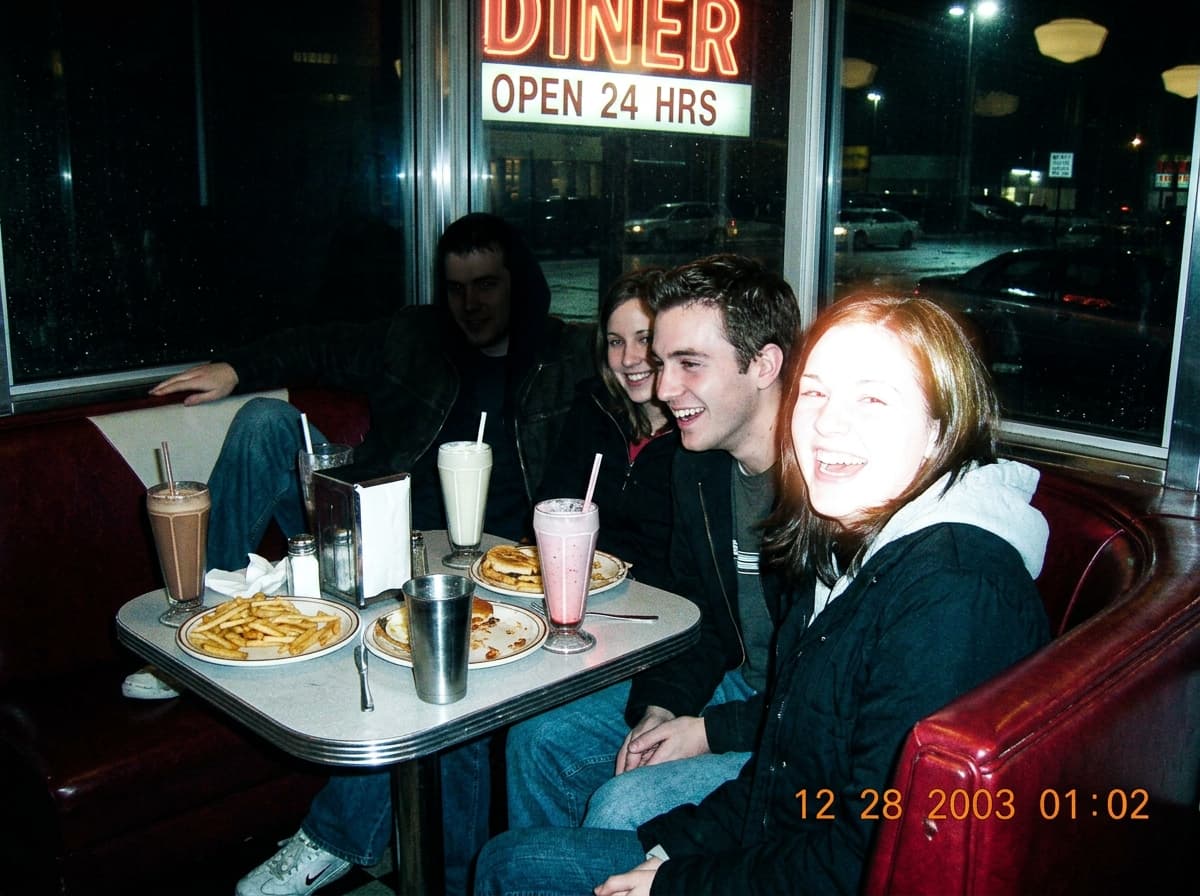
The flash is what makes a photo read as Y2K. Early-2000s compacts fired a small, hard on-camera flash at arm's length, so faces came out bright and slightly washed, backgrounds dropped into near-black, and shiny surfaces picked up hot specular spots. Red-eye, hard shadows on the wall behind the subject and a cool blue cast in the shadows complete the look. Pop-Cam's Y2K camera filter rebuilds that direct-flash lighting on photos taken in daylight or under soft indoor light, which is why house-party, mirror-selfie and concert shots in the examples above look like they came off a 2003 memory card rather than a phone filter.
Why the Y2K camera look is trending again
Gen-Z nostalgia for the early-internet era. For creators born between 1997 and 2012, the early 2000s represent a pre-smartphone, pre-Instagram world. Y2K camera photos feel authentic and unfiltered — no ring lights, no retouching, just raw moments captured imperfectly.
TikTok and Instagram aesthetic trends. The #Y2K and #DigitalCamera hashtags now have billions of views. Influencers post Y2K-style photos specifically to stand out from the sea of AI-smoothed iPhone portraits.
A reaction against hyper-polished content. Modern smartphones produce near-perfect images — HDR processing, AI smoothing, computational photography. Perfection feels sterile. Y2K photos have character, and imperfections make them feel real.
Affordable nostalgia. Vintage digital cameras vary in price, condition, resolution and memory-card compatibility. Pop-Cam recreates the aesthetic instantly without the hardware tax.
Three ways to get the Y2K camera look
1. Buy a vintage digital camera. A way to capture the look with hardware. Check the model, condition, sample photos and compatible memory cards before buying.
2. Use a camera-effects app. Apps such as Huji and Dazz offer camera-inspired effects on supported phones. Compare their available cameras, import options and in-app purchases for the workflow you want.
3. Use Pop-Cam's AI Y2K tool. Instant results from any photo, full-resolution output with no watermarks, prompt-driven flash and grain adjustments, and prompts for camera-inspired color and lighting. Works on any device with a browser. This is the recommended path.
Pair Y2K camera with Pop-Cam’s other tools
Once you have your Y2K-aesthetic photos, push the look further. Drop a matching Y2K logo from the Y2K logo maker on top for branded posts. Animate the still into a music-video-ready loop with the Image-to-Video tool. For full creative control, open the Nano Banana photo editor and edit your Y2K shot with prompt-driven tweaks. Want to dial in the flash, white balance, and grain by hand instead of leaning on a preset? See our 2026 walkthrough on the best Y2K camera settings for that nostalgic vibe. Not sure whether you want the Y2K or the warmer CCD vibe? Read Y2K Camera vs CCD Camera: What’s the Difference?. New accounts start with 2 free 💎; plans from $15.99/month cover a whole roll's worth of renders.
Y2K camera, digicam, CCD, 90s and 2000s filter: one look, five names
People search for this look under a dozen names and mean almost the same thing. The table maps each name to what it actually refers to and which Pop-Cam preset gets you there, so you can stop guessing which filter to use.
| What people call it | What it means | Start from |
|---|---|---|
| Y2K camera / Y2K filter | Compact digicam look, 1998–2005: hard flash, cool cast, grain | This page, default preset |
| Digicam filter / digicam aesthetic | Same cameras, often daylight shots: soft focus, blown sky, slight green | Y2K Camera prompts |
| CCD camera / CCD filter | Warmer, more saturated version from CCD sensors | CCD Camera prompts |
| 2000s filter / 2000s camera filter | Y2K plus the orange date stamp and 4:3 crop | Add a date-stamp request to the prompt |
| 90s camera filter | Earlier: film point-and-shoot, warmer, more halation | Film Emulation prompts |
| Disposable camera filter | Film grain, flash, light leaks | Film Mood prompts |
| Retro filter / vintage camera filter / nostalgia filter | Umbrella terms; usually one of the above | Pick by era using the rows above |
The common thread is the early 2000s aesthetic: a digital camera aesthetic from before phones had good cameras. Everything on this page recreates it from a modern photo instead of a thrifted camera.
The five ingredients of the look, and how to control each
A convincing Y2K photo is five effects stacked in the right proportion. Knowing the names lets you push or pull each one in the prompt on the Create page.
| Ingredient | What it looks like | Ask for |
|---|---|---|
| Direct flash | Bright face, dark background, hard shadow on the wall | "hard on-camera flash"; the flash filter people search for is this |
| Grain | Fine color noise, strongest in shadows | "visible CCD noise" for a grainy filter; "clean" to reduce |
| Halation | Pink-orange glow bleeding from highlights | "halation around highlights"; see the halation guide |
| Color cast | Cool blue shadows, slightly green mids, warm skin | "cool white balance" or "warm CCD tones" |
| Date stamp | Orange 7-segment date, bottom right | Ask for an orange date stamp with your chosen year |
For the manual version of these controls in a real editor, the Y2K camera settings guide walks through flash, white balance and grain by hand.
Y2K photoshoot ideas: pictures that take the effect well
The effect works on any photo, but Y2K pictures that look authentic share a setting. Good Y2K photoshoot ideas: a mirror selfie with the phone visible, a house party in a hallway, a mall food court, the back seat of a car at night, a bathroom with fluorescent light, a group shot at arm's length. What they have in common is an indoor or night scene where the flash would have fired. Daylight beach photos turn into the softer digicam look rather than the flash look.
Pair the setting with the clothes: the AI Outfit Generator has a Y2K streetwear aesthetic, and the Y2K Aesthetic prompts cover the cyber Y2K and mall-era variations if you want the whole frame, not just the camera, to read 2003.
Y2K photo editing without buying a vintage digital camera
A vintage digital camera captures the look with hardware. Price, resolution and memory-card requirements depend on the model and condition. Buy one if you want the object and the ritual. If you want the photos, Y2K photo editing on a modern shot gets the same look at full resolution in about ten seconds, and you can run the same photo as Y2K, CCD and film to compare. The two guides cover each route in detail: how to get the Y2K camera look without buying a camera and how to get the CCD camera look without buying one.
Pop-Cam vs Dazz Cam and Huji Cam
Dazz Cam and Huji Cam are camera-effects apps with different workflows. Check the Dazz Cam listing and the Huji Cam listing for current features and purchases.
| Dazz Cam / Huji Cam | Pop-Cam Y2K Camera | |
|---|---|---|
| Where it runs | Dazz Cam: iOS; Huji Cam: iOS and Android | Any browser, no install |
| Works on photos you already have | Import support depends on the app, preset and purchase; check before downloading | Yes, any photo, including scans of old ones |
| Pricing model | Free download with in-app purchases for extra cameras or features | 2 free 💎, then plans from $15.99/month |
| Fits best when | You are shooting right now and want the look live | The photo already exists, or you need a whole set to match |
Use the apps when you are out shooting; use this page when the photo already exists or you need twenty photos to match.
The whole Y2K kit on Pop-Cam
This page is the hub for the Y2K and digicam look on Pop-Cam. The pieces below connect to it.
| Piece | What it is for |
|---|---|
| Y2K Camera prompts · CCD Camera prompts · Y2K Aesthetic prompts | The exact wording behind each preset, copy-paste |
| Film Emulation · Film Mood prompts | The 90s film and disposable variants |
| Y2K Logo Maker | Chrome, inflatable and jelly logos to match |
| AI Outfit Generator | Y2K streetwear illustrated on your photo |
| AI Photoshoot | A set of shots from one selfie, then run them through Y2K |
| Image to Video | Animate a Y2K still into a camcorder-style clip |
| Nano Banana Photo Editor | Edit the shot with a prompt of your own |
| Guides: Y2K look without a camera · Y2K vs CCD · camera settings · halation · CCD look | Long-form reading |
One more use people ask about: a Y2K wallpaper. Run a photo of your own (a car, a bedroom, a skyline at night) through the effect, crop to 9:16, and it is a phone wallpaper that is actually yours rather than a stock one.
More free AI tools from Pop-Cam
The Y2K cam effect is one of several free Pop-Cam tools. Build a free 3D logo for your brand, turn your dog into a cartoon, or browse everything on the free tools page.