 By fengcainiao
Change photo background to white in two moves: replace everything behind the subject with white, then check that white against the place the photo is going. Koosu’s Photo Background Changer does the first move with its White Studio background, or with a white background you describe in a sentence. The second move is yours, and the guides we read skip it.
White is not one setting. An Amazon main image needs pure white, RGB 255, 255, 255. A headshot has no rule: white, off-white and light grey all work, and a soft shadow keeps a person from looking cut out. A US passport photo must not be edited at all. So before you make the background white, decide who will look at it. This guide shows how to change the background to white for each of those uses, what to check after, and when to take the photo again instead.

The animations in this guide were made with GPT Image 2.6 Sunburst, one of the image models on Koosu.
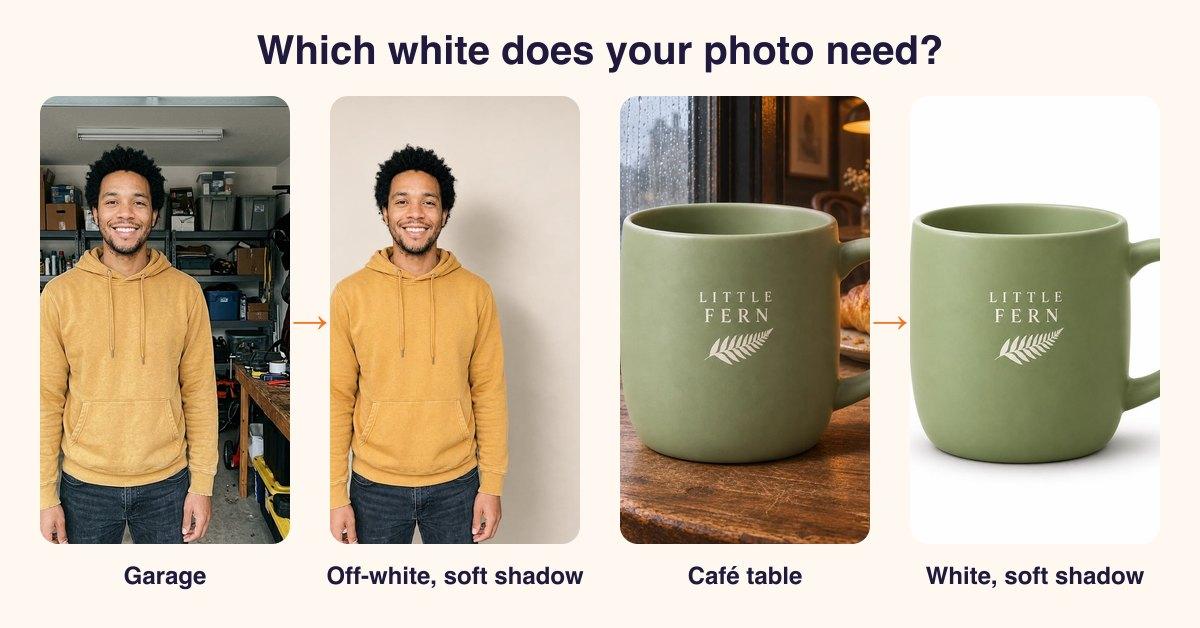
Which White Does Your Photo Need?
Before you make a white background photo, find the rule of the place it is going. These come from the platforms’ own pages:
| The photo is for | What the background must be | Can you edit it? | Source |
|---|---|---|---|
| Amazon main image | Pure white, RGB 255, 255, 255. The product fills 85% of the image. | Yes, then check the number | Amazon product image guide |
| eBay listing | No colour in its picture policy. No watermarks of any type, no added borders or text, and the photo must show the item accurately. | Yes, with no mark or text | eBay picture policy |
| Headshot, team page, LinkedIn | No rule. White, off-white or grey that suits your clothes, usually with a soft shadow. | Yes | a headshot studio |
| US passport | Plain white or off-white, no shadows, textures or objects. | No: retake the photo | U.S. Department of State |
Two things the table does not show. First, a white wall in a room is rarely white in a photo. A seller in r/poshmark wrote that their white wall “looks so dull, almost gray” in pictures, which is why they run their cover shots through a background tool. Second, the whitest result is not always the best one. In r/PhotoshopRequest, someone who wanted their headshot on pure white (#FFFFFF) also asked: “Preserve the natural soft shadow behind me – please don’t remove it.”
How to Change a Photo Background to White in 4 Steps
This is how to make a white background for photos of people, pets or products, with any tool:
- Start from a sharp photo with the whole subject in the frame. Motion blur makes the edges harder to blend, and a cut-off ear, hand or corner of a product leaves the tool guessing.
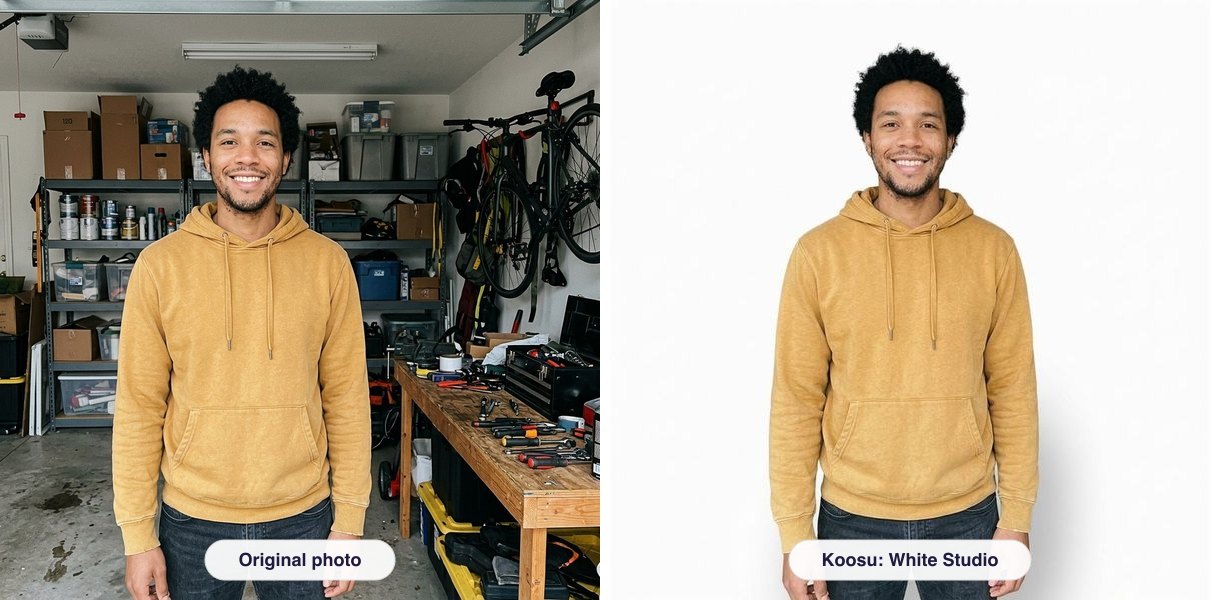
- Change the background. Open Koosu’s Photo Background Changer, upload the photo and pick White Studio. That background asks for a seamless pure white studio backdrop with a soft natural shadow under the subject. If you want no shadow, type your own description instead, such as “a plain pure white background, no shadow”, and look at what comes back.
- Compare the subject with the original at full size. Face, hair, hands, the colour of the clothes or the product, and any lettering printed on it. Put the two side by side and look at one part at a time.
- Check the white. Open the result in an editor with an eyedropper and click the background near each corner. If the photo is for an Amazon main image and the corners do not read 255, 255, 255, brighten the background in the editor until they do, or use a cutout tool that fills exact white.
Make the Background White: Cutout or AI Redraw?
Two kinds of tools make the background white, and they go wrong in different places.
- A cutout tool (a background remover, or Photoshop’s Select Subject) keeps the subject’s own pixels and puts flat white behind them. Photoroom’s white-background page says it sets the background to exact white, RGB 255, 255, 255. The weak spot is the outline: a hard edge with no shadow can look pasted on. One shopper in the r/poshmark thread said such photos remind them of “a movie with bad Green Screen editing”.
- An AI redraw, which is what Koosu’s background changer does, rebuilds the scene around the subject, so the light and a soft shadow agree with it. The weak spot is the subject, because the model draws it again too. In the frames we made for this guide with GPT Image 2.6 Sunburst, the mustard hoodie came back a more saturated yellow: on the chest, the blue value fell from about 112 to 93. Koosu’s own White Studio example kept the same hoodie within a few values of the original.
Colour can shift with cutout apps too. A seller in the same Poshmark thread wrote that jeans “often look a different color of blue” after one of them. So whichever tool you use, compare. When the platform’s rule is a number, as Amazon’s is for the main image, a cutout tool that fills exact white is the safer pick. When a natural look matters more than a number, as on a headshot or your own shop page, a redraw with a soft shadow can look less pasted on.
White Background for Product Photos
Marketplaces publish their rules. Amazon’s product image guide asks for a main image with a pure white background (RGB 255, 255, 255), the product filling 85% of the image, and a picture that shows the product’s real scale, quantity and colour. eBay’s picture policy does not set a background colour, but it does not allow watermarks of any type, added borders, added text or photos that misrepresent the item, and the photo must be at least 500 pixels on its longest side.
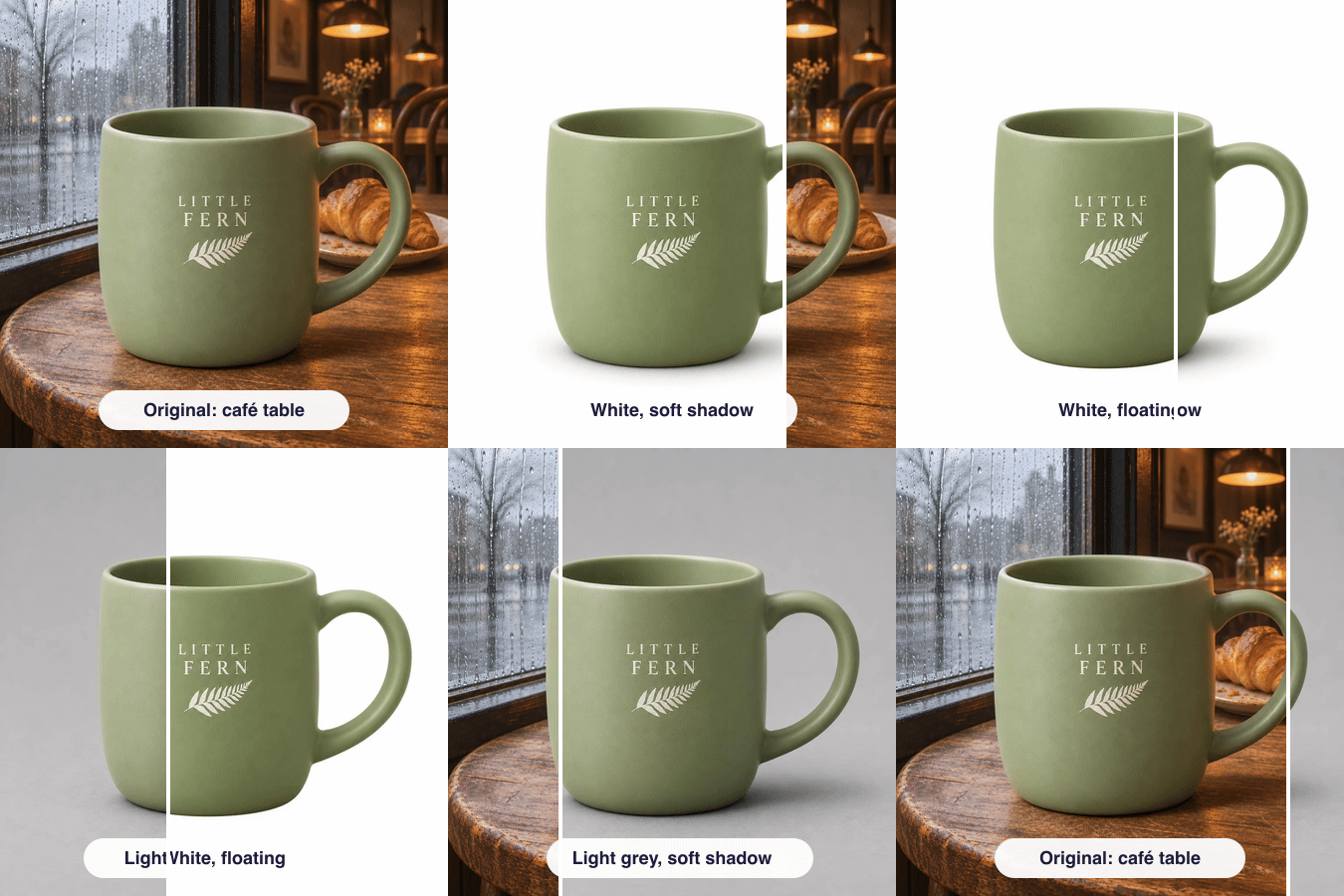
Pure white is Amazon’s rule for the main image, not a rule for every product photo. A product photographer in r/ecommerce counted the last 70 client projects of their studio: “Only 36% of shots were on pure white. 46% were soft grey/neutral,” and “55% used a natural shadow.” That is one studio’s count, not a survey. In the same thread another seller added that “Amazon still requires pure white backgrounds.” Use pure white where the platform asks for it, and choose white, off-white or grey for your own shop and social posts.
Before you list it:
- Hold the real item next to the screen and compare the colour. A Poshmark seller adds “a close up photo of a portion of the item, so it shows the true color” to the listing.
- Check every printed letter and logo on the product. A model that redraws the scene can redraw lettering too.
- If the photo has a caption, a price sticker or another app’s watermark, take it out first with Koosu’s AI Text Remover: eBay does not allow added text or watermarks.
- A free result from Koosu carries a small Koosu mark. For a listing, use a result paid with a credit, which has none.
- If you would rather keep the real room and only clear the clutter, use the AI Object Remover instead of the Photo Background Changer.
White Background for a Headshot, or Light Grey
A headshot has no white rule. Colby’s Photos & Videos, a headshot studio, says that medium gray “is also a flexible choice for many professionals. However, there is no universal rule.” Its advice is to match the background to the clothes: lighter clothes on lighter backgrounds, darker clothes on darker ones.
Pure white with no shadow can make a person look cut out, which is why the headshot request in r/PhotoshopRequest kept the shadow. That request is a good checklist for any tool: pure white, the soft shadow, and “Do not alter me at all – expression, skin, hair, and edges should stay exactly as in the original.” The same person also wrote “Please no AI edits”, so if your face must stay exactly as it is, compare closely, or use a cutout tool.
For a team page, try off-white with a soft shadow first. If your company sets one background for everyone, match it. If you are still choosing what to wear, our guide on what to wear for a headshot covers what to wear against a white background. If you have no usable photo at all, Koosu’s AI Photoshoot Generator has a Professional Headshot theme: from one selfie it makes a head-and-shoulders photo on a neutral grey studio backdrop. It also dresses you in a navy blazer, so use it only when that is what you want.
Passport Photo Background: Retake, Don’t Edit
For a US passport, the State Department’s photo page says: “Use a plain white or off-white background free of shadows, textures, or objects. Submit the original, unedited photo without filters or digital changes.” The second sentence rules out every tool in this guide, Koosu’s included.
So a white background for a passport photo is made when you shoot it. Stand in front of a plain white or off-white wall, a few feet away from it so your shadow does not fall on it, light your face evenly and take the photo again. Other countries set their own colours and rules; read the issuing office’s own page before you shoot.
How to Make the Background White on iPhone
The Photos app can cut the subject out, but it cannot put white behind it. In Apple’s guide, you open the photo, touch and hold the subject until an outline appears, then tap Copy, Add Sticker or Share. You get the subject on its own, with no background option.
To change the background of a photo on iPhone without installing an app, open Koosu’s Photo Background Changer in Safari: it runs in the browser. Upload the photo from Photos, choose White Studio or describe the white you want, and save the result. Then do steps 3 and 4 above: zoom in on the edges, and check the white if the photo is going to a marketplace.
Frequently Asked Questions
How can I change the background color of a photo to white?
Replace the background with a cutout tool or an AI background changer, then compare the subject with the original at full size and check the white with an eyedropper. For an Amazon main image, the background must read 255, 255, 255.
Do headshots need a white background?
No. White, off-white and grey all work, and a company may set one background for its whole team. Choose the one that contrasts with your clothes, and keep a soft shadow so you do not look cut out.
Do passport photos need a white background?
A US passport photo needs a plain white or off-white background with no shadows, and it must be the original, unedited photo. Do not change the background with an app; take the photo again against a white wall. Other countries have their own rules.
How to do white background in photo in iPhone?
Touch and hold the subject in the Photos app to lift it, but note that Photos cannot add a white background. Open a background changer in Safari, upload the photo, choose a white background, then check the result at full size.
Can I change the background of my photo for free?
Yes, with limits. Koosu’s Photo Background Changer gives a signed-out visitor 2 free generations. Downloading a result needs a free account, and an account without credits gets 2 free generations a week. Free results carry a small Koosu mark; a result paid with 1 credit does not.
Pick the white for the place the photo is going, change the background, then look twice: once at the subject next to the original, once at the white with an eyedropper. For other fixes, from clutter to captions, see Koosu’s free AI photo editing tools.