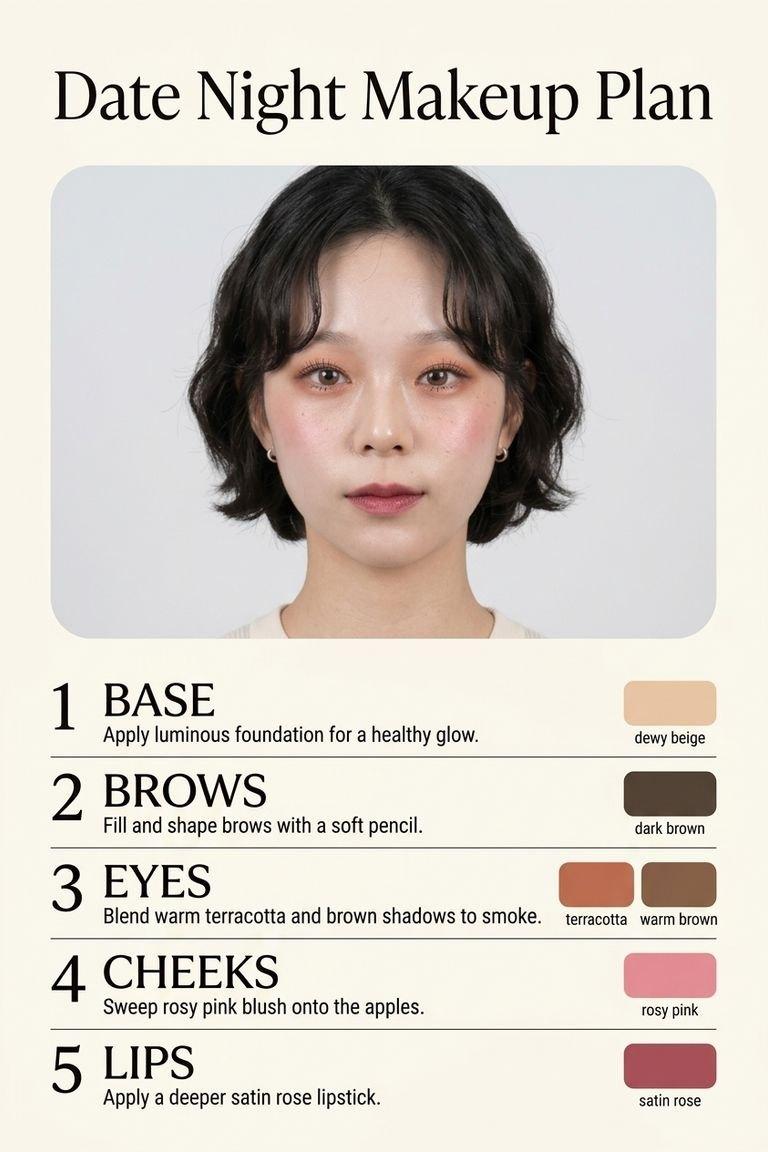
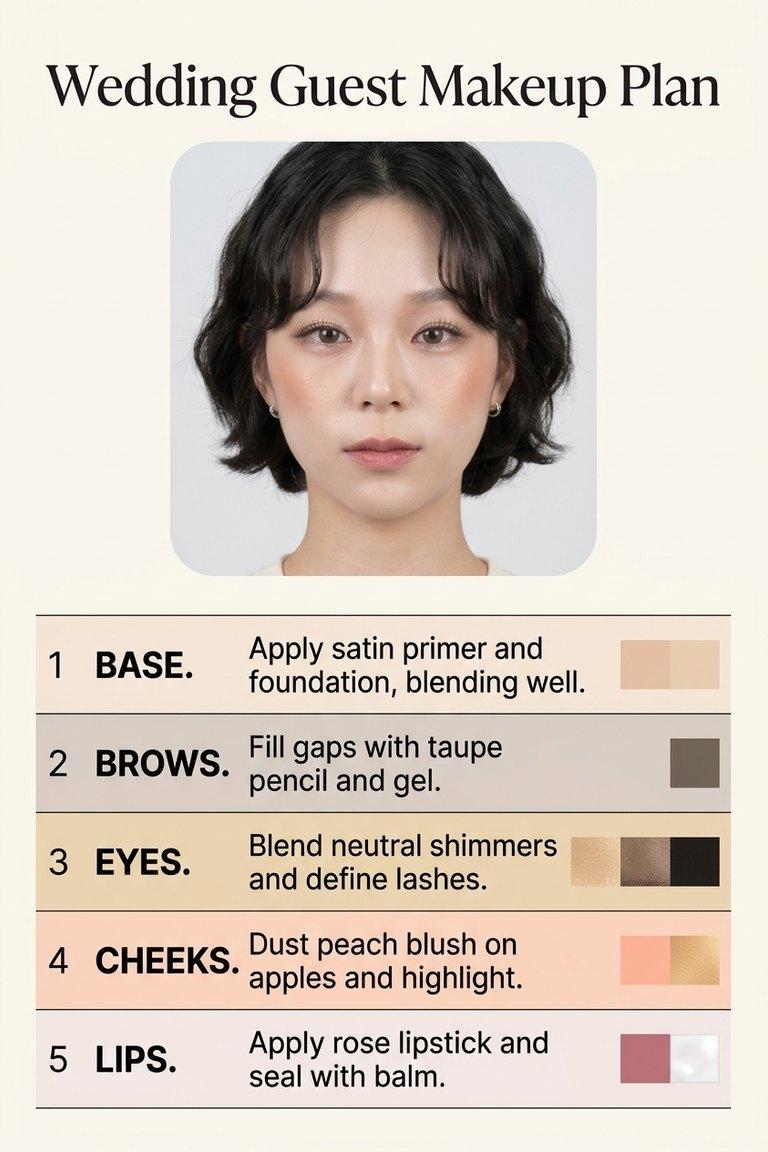
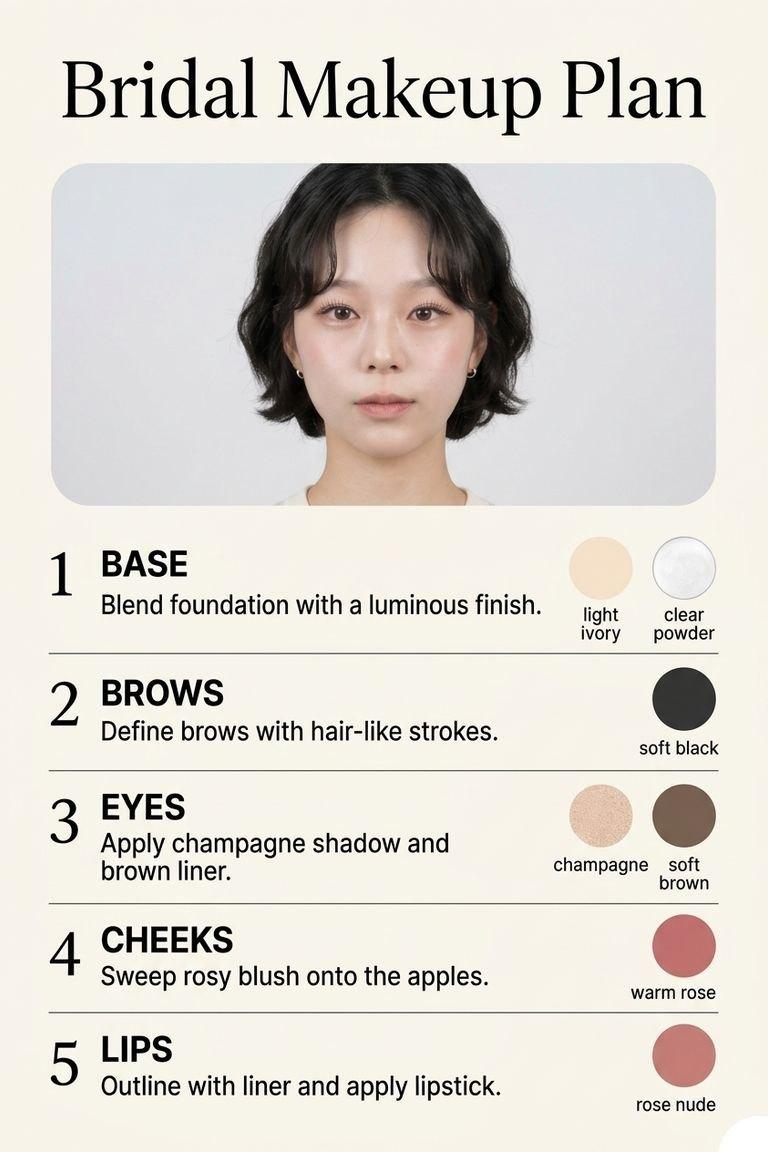
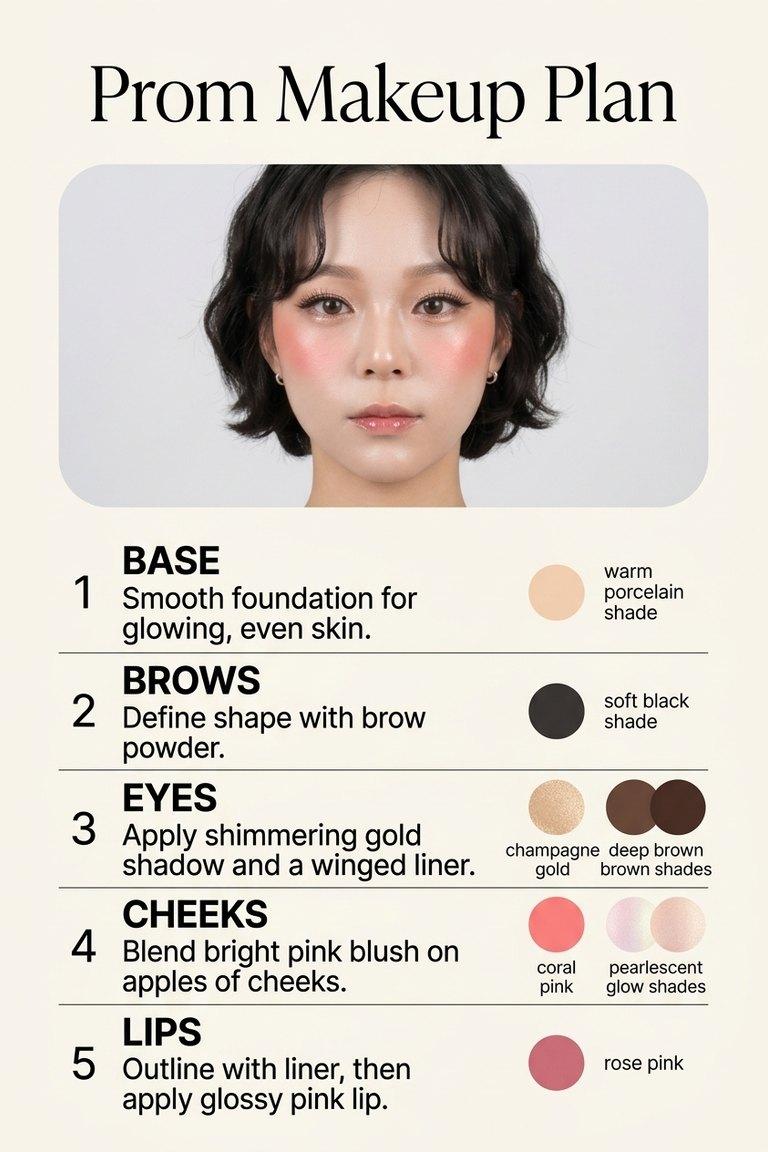
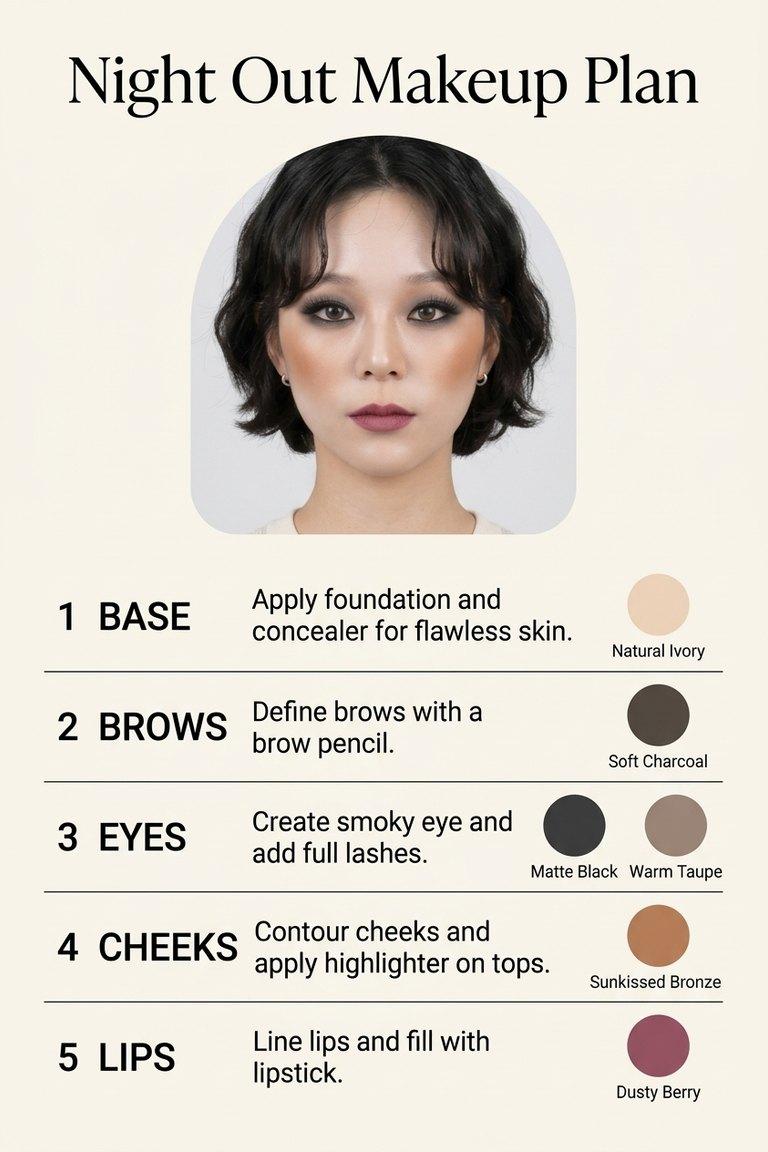
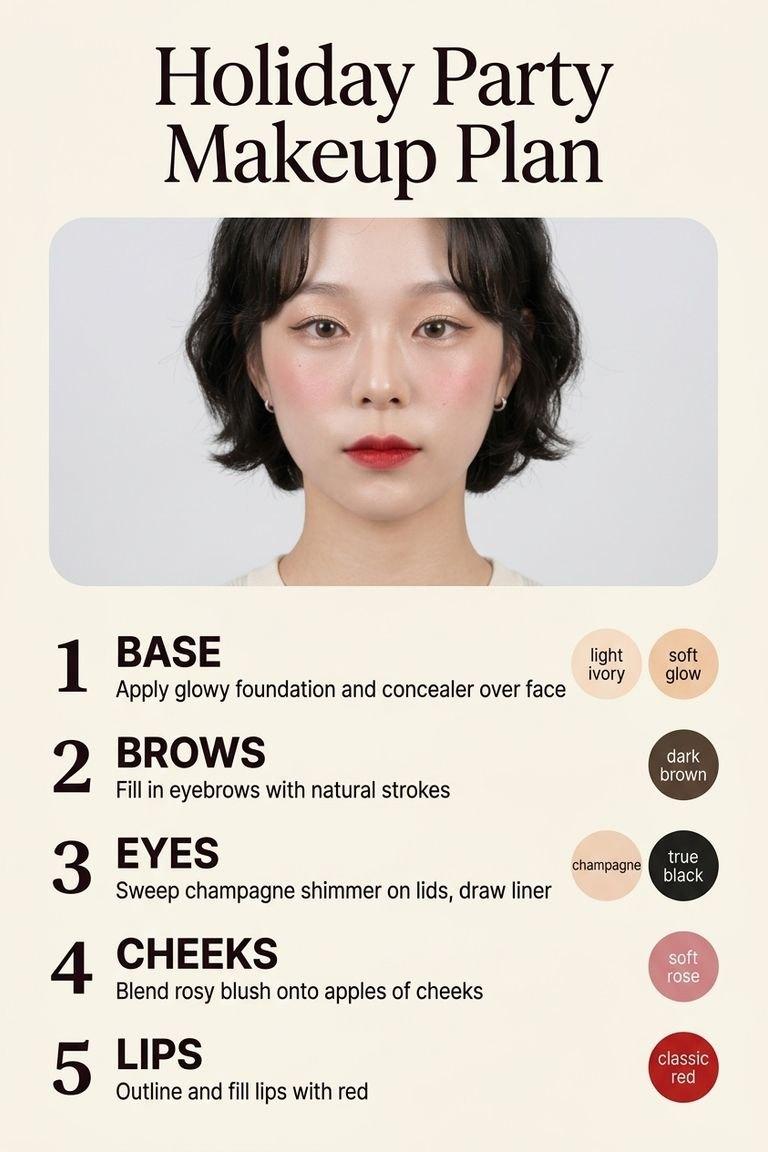
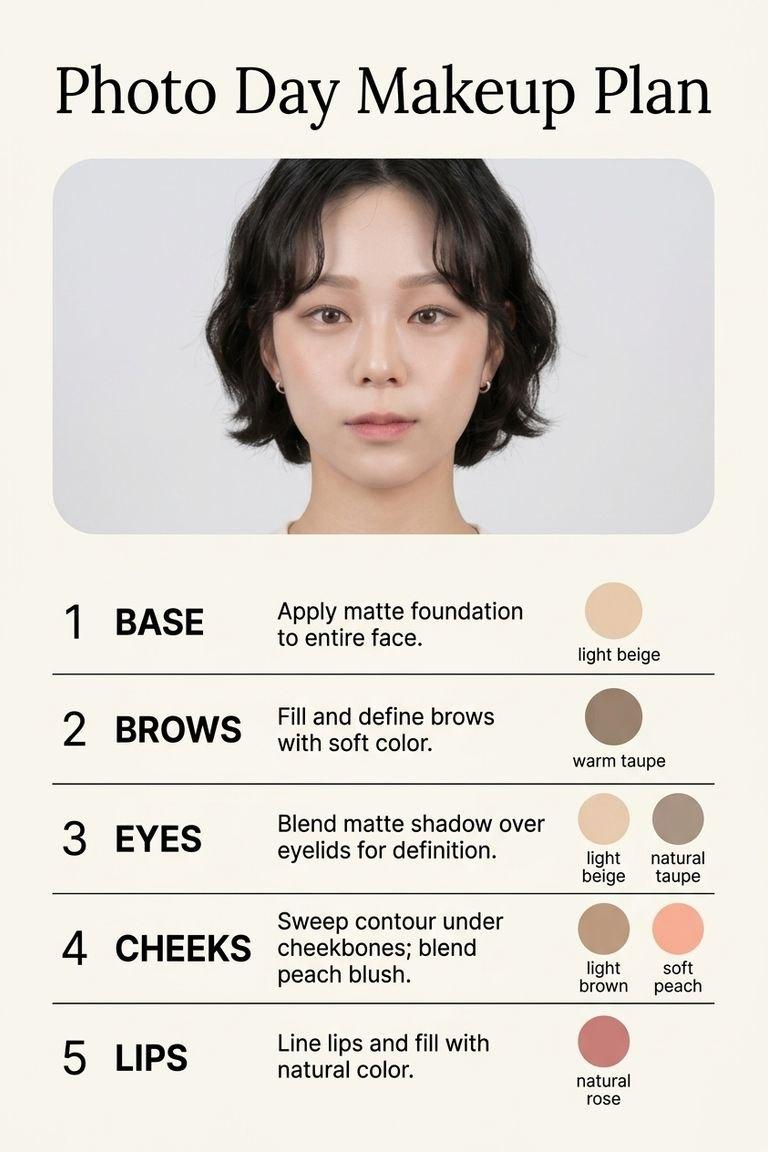
What is an AI makeup planner?
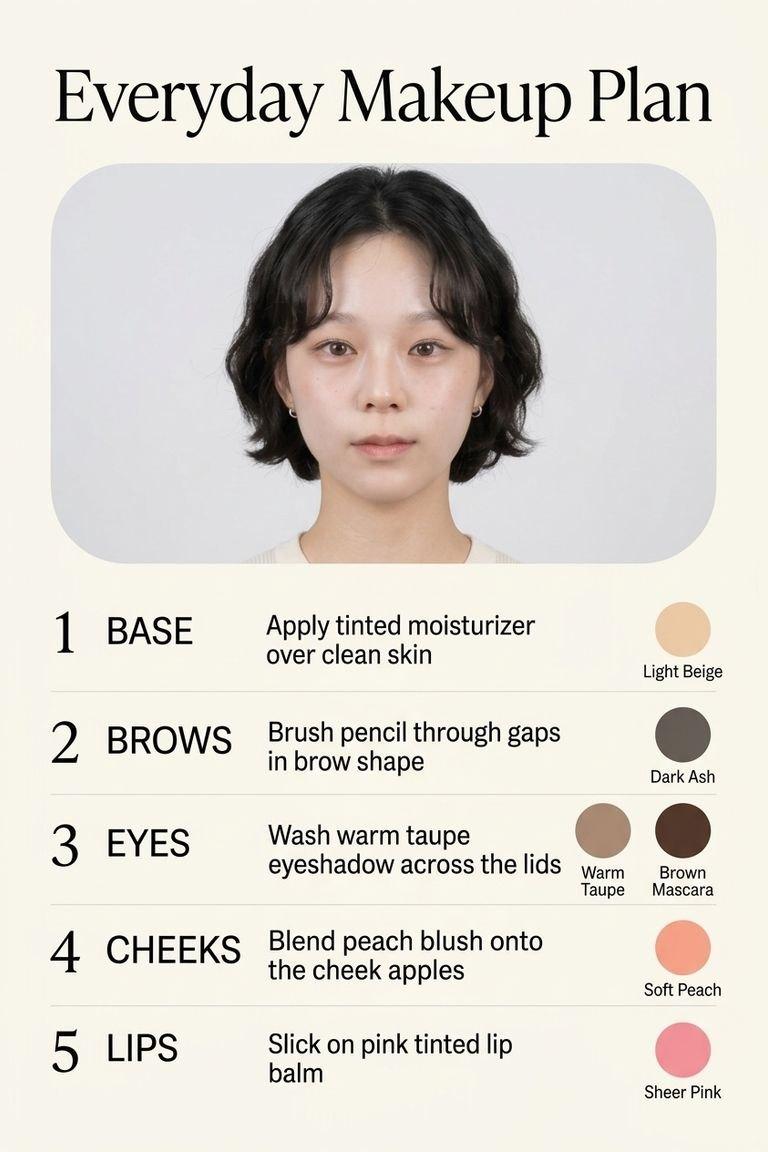
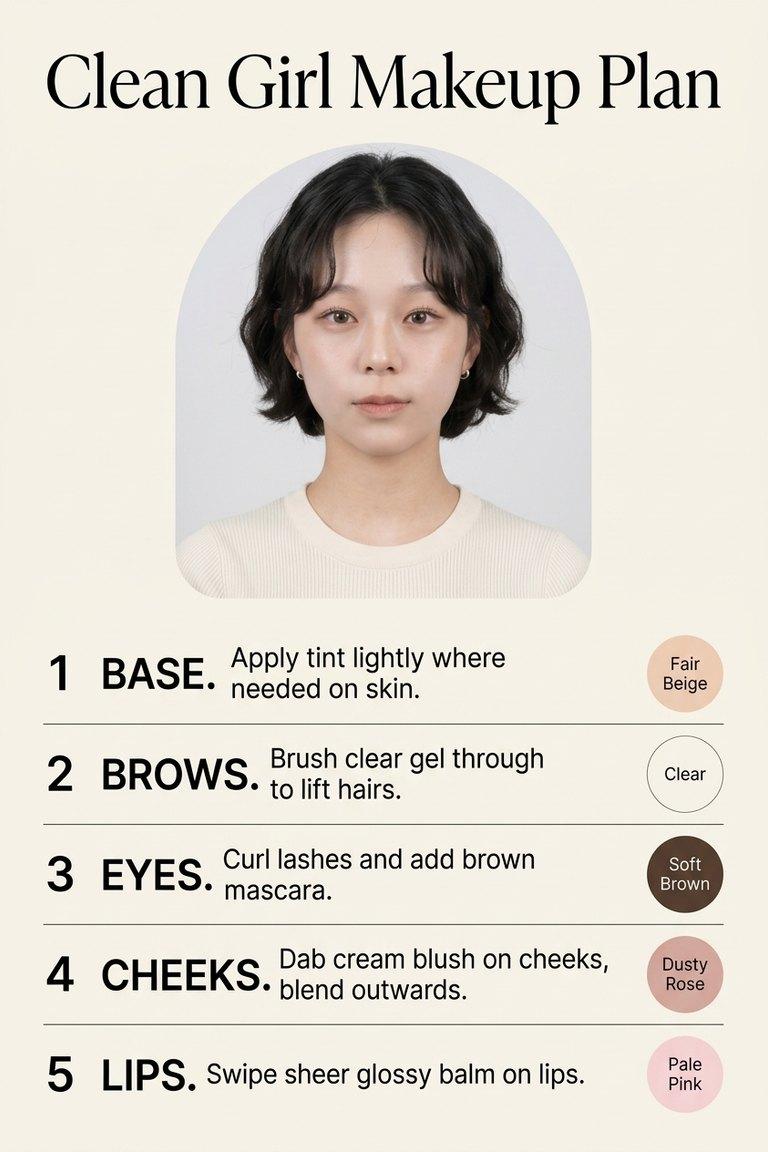
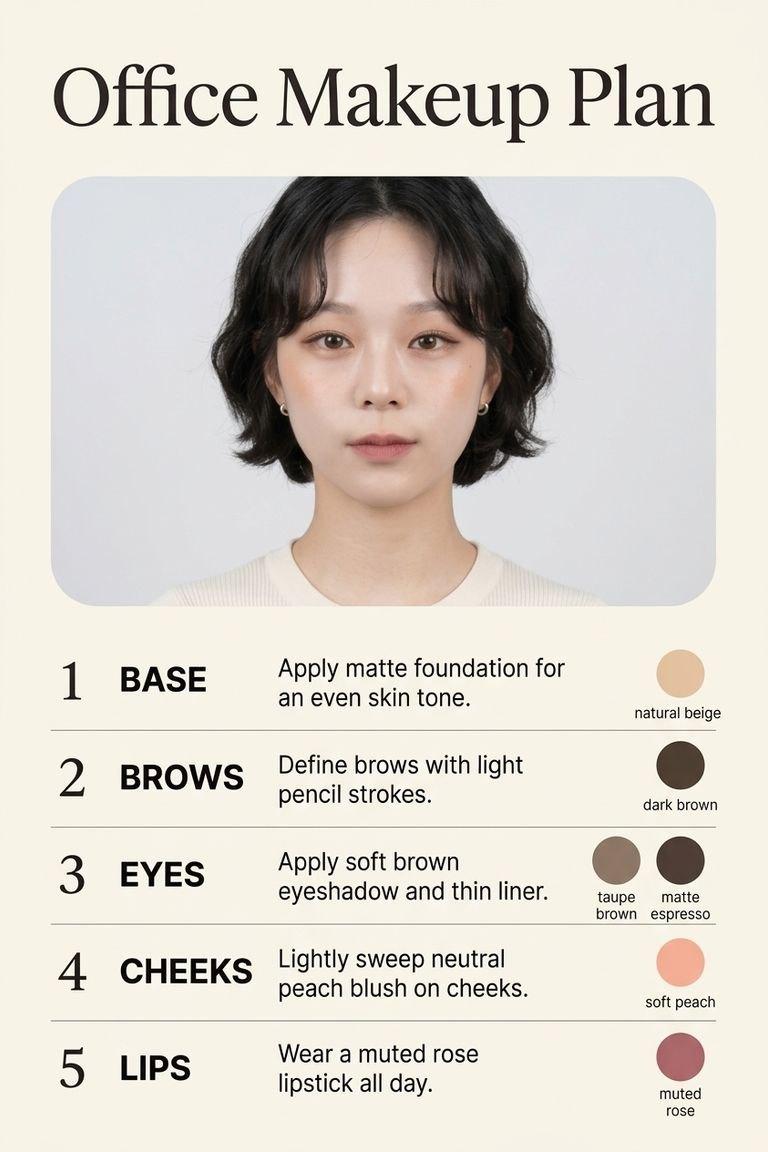
A makeup planner answers a question a filter cannot: what do I put on, in what order, and in which shades? You give the AI one photo of your face and an occasion. It designs a look for that occasion, shows it on your face, and writes the plan next to it as a short face chart: five steps, one instruction each, and the colors to use. Koosu uses Google's Nano Banana 2 image model with fixed rules: the portrait must stay you (same features, same skin tone, no reshaping), and the swatches must match the makeup the portrait wears.
How to read your makeup plan
- Follow the steps from 1 to 5. Base goes first, so the colors on top stay true.
- The shade names are plain color words, such as warm taupe or dusty rose. Match them to products you own before you buy new ones.
- Hold a product next to the swatch on your screen in daylight. Screens shift colors, so treat the swatch as a direction.
- Not sure about a step? Run the same occasion again with a note, such as "softer eyes" or "a bolder lip".
Tips for a better plan
- Use a photo with your whole face visible, in daylight or even indoor light. Heavy shadows hide your skin tone.
- A bare face works best. The AI plans from what it sees, so existing makeup can pull the shades off.
- Tell it what you will wear. A note such as "emerald green dress" changes the lip and eye colors.
- Planning a wedding or prom? Make two or three plans and take them to your trial appointment.
Makeup planner or makeup try-on?
The planner gives you a page to follow: the look, the steps and the shades. If you only want to see a look on your photo, with no steps, use the AI makeup try-on. To plan the rest of the look, try a cut or color in the AI hairstyle changer and an outfit in the AI outfit changer. Not sure which cut to try? Start with our guide to what haircut you should get.
Free to try
Your first generation is free, no sign-up needed, and a free Koosu account comes with 2 free 💎 (1 per plan), no credit card. After that each plan costs 1 credit. See all AI photo editing tools and the tools for selfies.