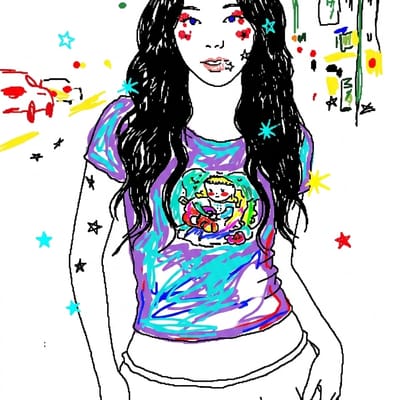
MS Paint
Redraw this in the most clumsy, scribbly, and utterly pathetic way possible. Make it look like MS Paint — wobbly mouse-drawn lines, jagged 1-pixel pencil strokes, lazy paint-bucket fills with leaked color, default 8-color palette (red, blue, green, yellow, white, black), white background. Composition stays roughly the same as the reference but every detail is half-rendered.
Wobbly mouse-drawn lines, leaked fills, 8-colour palette on white. Simple scenes with one or two subjects. How to use
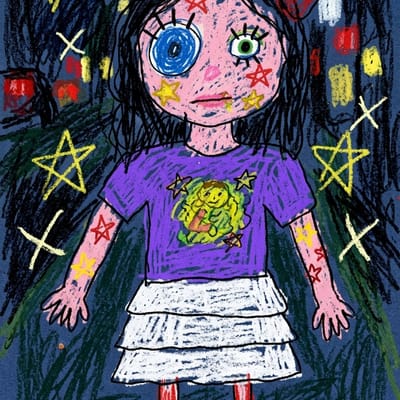
Child Crayon
Redraw this in the most clumsy, scribbly, and utterly childlike way possible. Make it look like a 5-year-old drew it with a chunky wax crayon on rough construction paper — wobbly outlines, oversized head, mismatched eyes, gaps between strokes, visible paper grain showing through, single bright primary colors with no blending.
Chunky wax crayon on construction paper with an oversized head. Portraits and pets. How to use
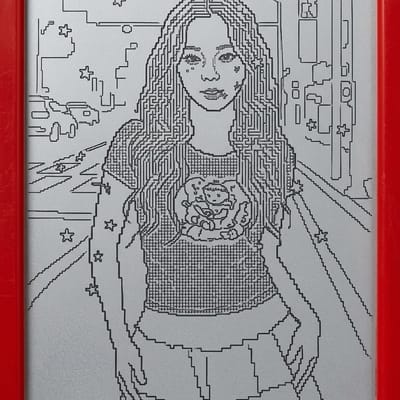
Etch A Sketch
Redraw this in the most rigid, jagged, and utterly constrained way possible. Make it look like an Etch A Sketch drawing — only horizontal and vertical strokes, no curves, no diagonals, all rendered in one continuous black line on a grey aluminum-powder screen, framed by the classic red plastic toy housing with two white knobs.
One continuous line, only horizontal and vertical, in the red toy frame. Bold outlines. How to use
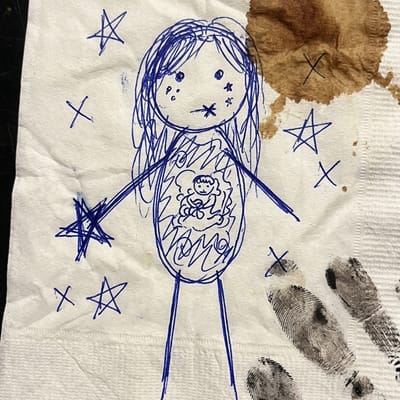
Napkin Stick Figure
Redraw this in the most lazy, dismissive, and utterly half-assed way possible. Make it look like a stick-figure ballpoint-pen doodle on a crumpled cocktail napkin, drawn by someone who'd rather be anywhere else — visible pen-bleed where the ink soaks through paper fibers, one stray coffee stain in the corner, a few ink-smudge fingerprints on the napkin edge.
Ballpoint stick figures on a crumpled, coffee-stained napkin. Group photos. How to use
MS Word AutoShapes
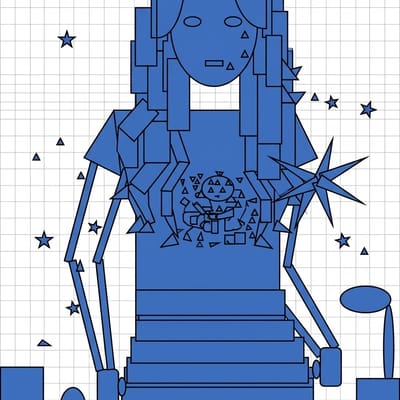
Redraw this in the most geometric, soulless, and utterly corporate way possible. Make it look like someone built it out of Microsoft Word's default AutoShapes — flat circles, rectangles, ovals, and triangles snapped to a visible grid, default solid blue fill, single-pixel black borders, no shading or gradients, white slide background, looks like a slide deck made in 2003.
Circles and rectangles on a grid in default blue. Objects, diagrams, parody slides. How to use