What every prompt on this page produces, the situations it is for, and the exact steps to run it.
Illustration to Figure
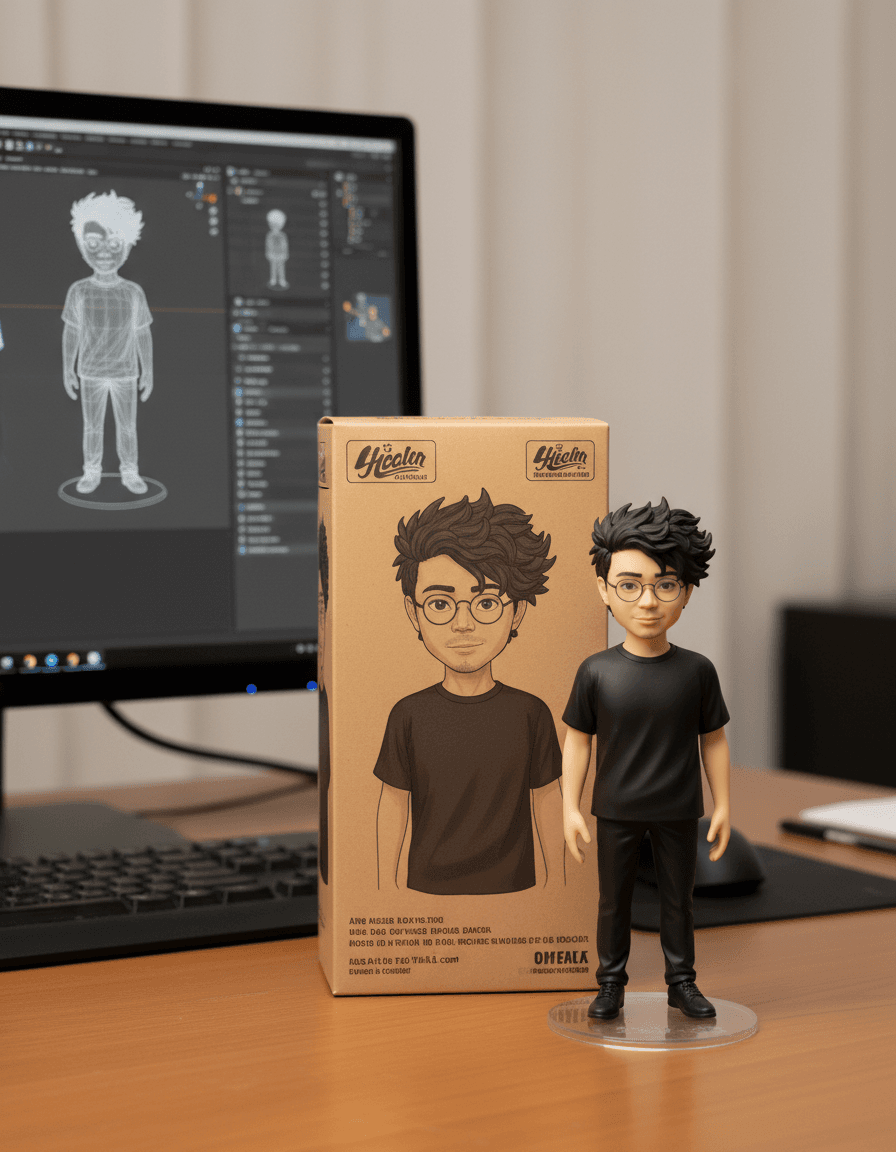
A desk scene: your character as a collectible vinyl figure on a round base, its retail box behind it, and a monitor showing the 3D model being built.
Use it when
- You draw or commission characters and want a 'merch mock-up' to post without producing a figure.
- A birthday or farewell gift image of a friend as an action figure.
- Pitching a mascot to a client and showing what the toy version would look like.
How to run it
- Upload one clear image of the character, full body if possible, plain background preferred.
- Keep the prompt as is for the indoor desk scene; change 'indoors' to 'on a shop shelf' or 'at a convention table' for a different setting.
- Generate. If the box art looks wrong, add 'the box shows the same character in the same pose'.
Ground View from Map Arrow
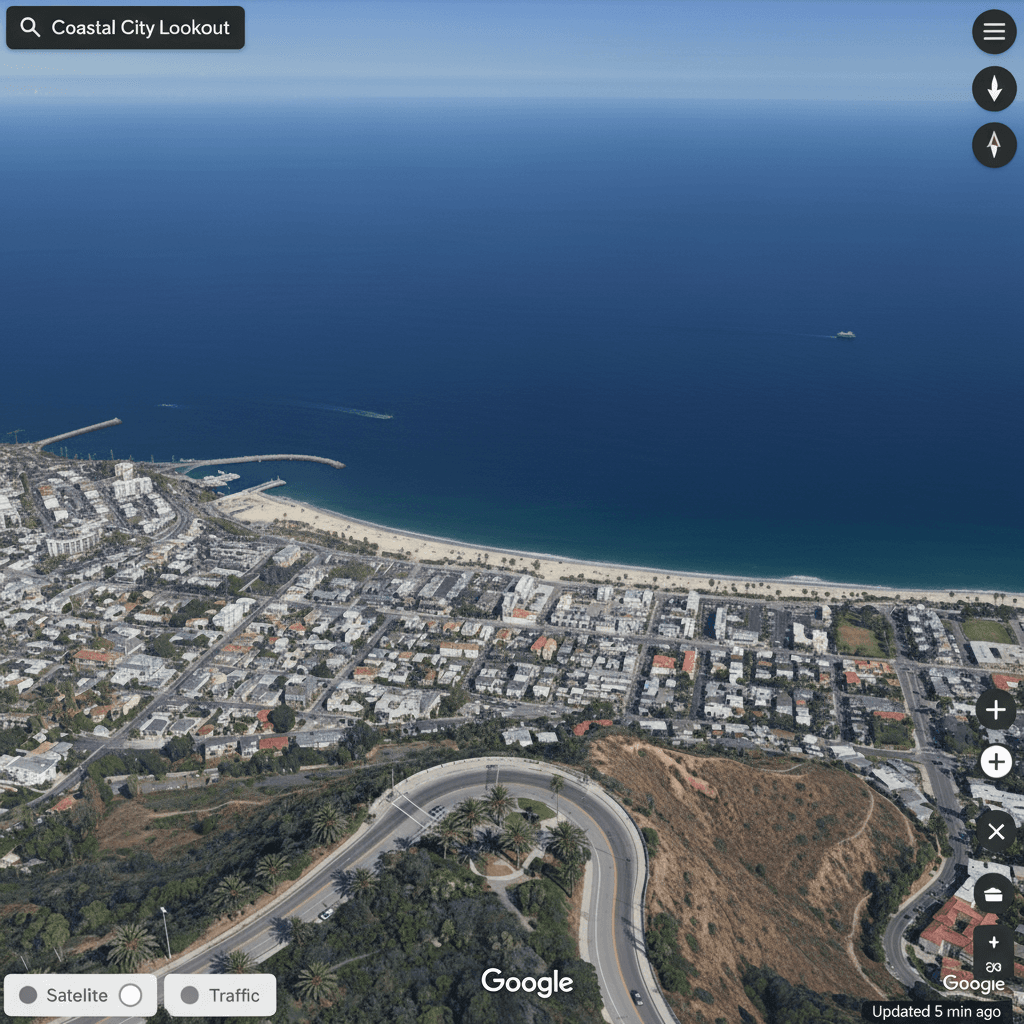
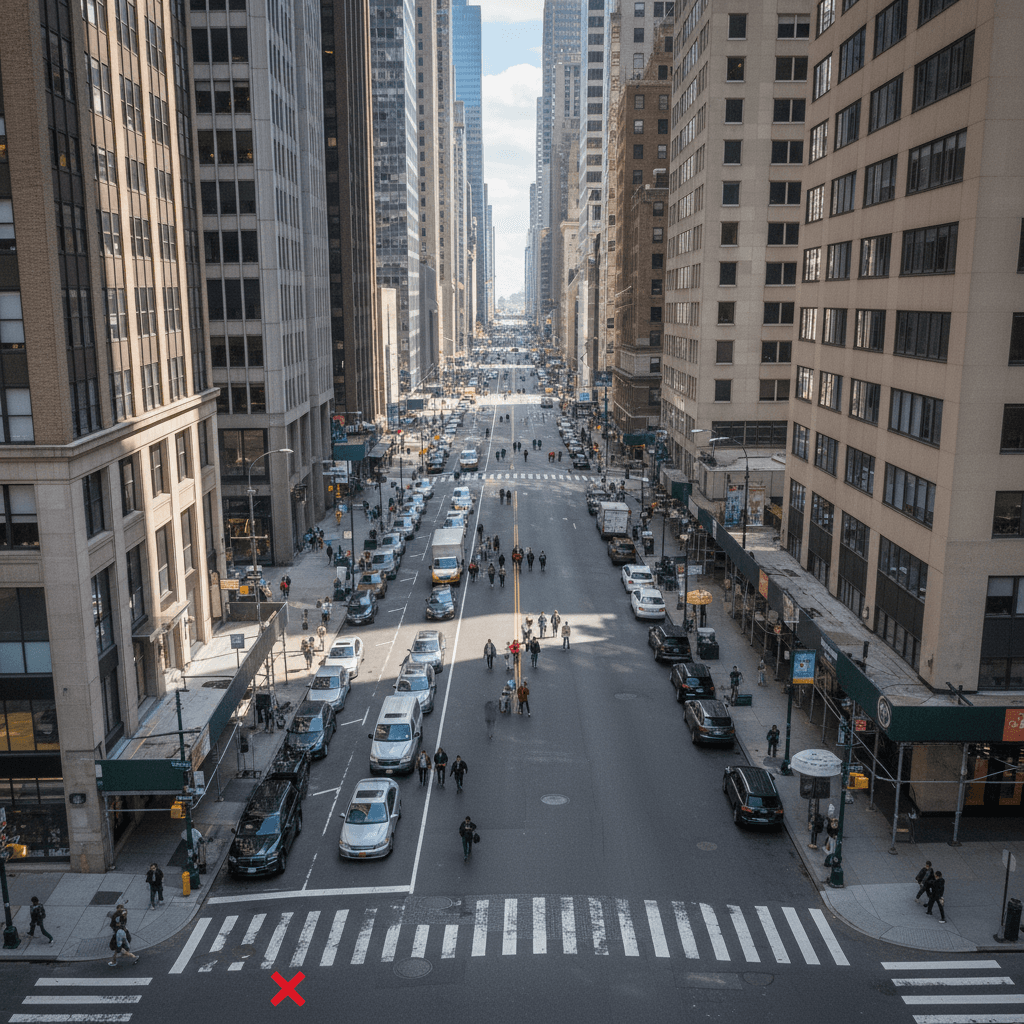
A street-level photo of what someone standing at the marked spot on a map would see, looking in the direction of the arrow.
Use it when
- Previewing a meeting point or a trailhead for friends before you go.
- Illustrating a travel post or a real-estate listing from a map screenshot.
- Storyboarding a scene set at a real location.
How to run it
- Take a screenshot of a map, draw a red circle at the viewpoint and a red arrow for the direction.
- Upload it and run the prompt unchanged.
- The view is the model's reconstruction, not a real photo of the place; say so if you publish it.
Real World AR Information
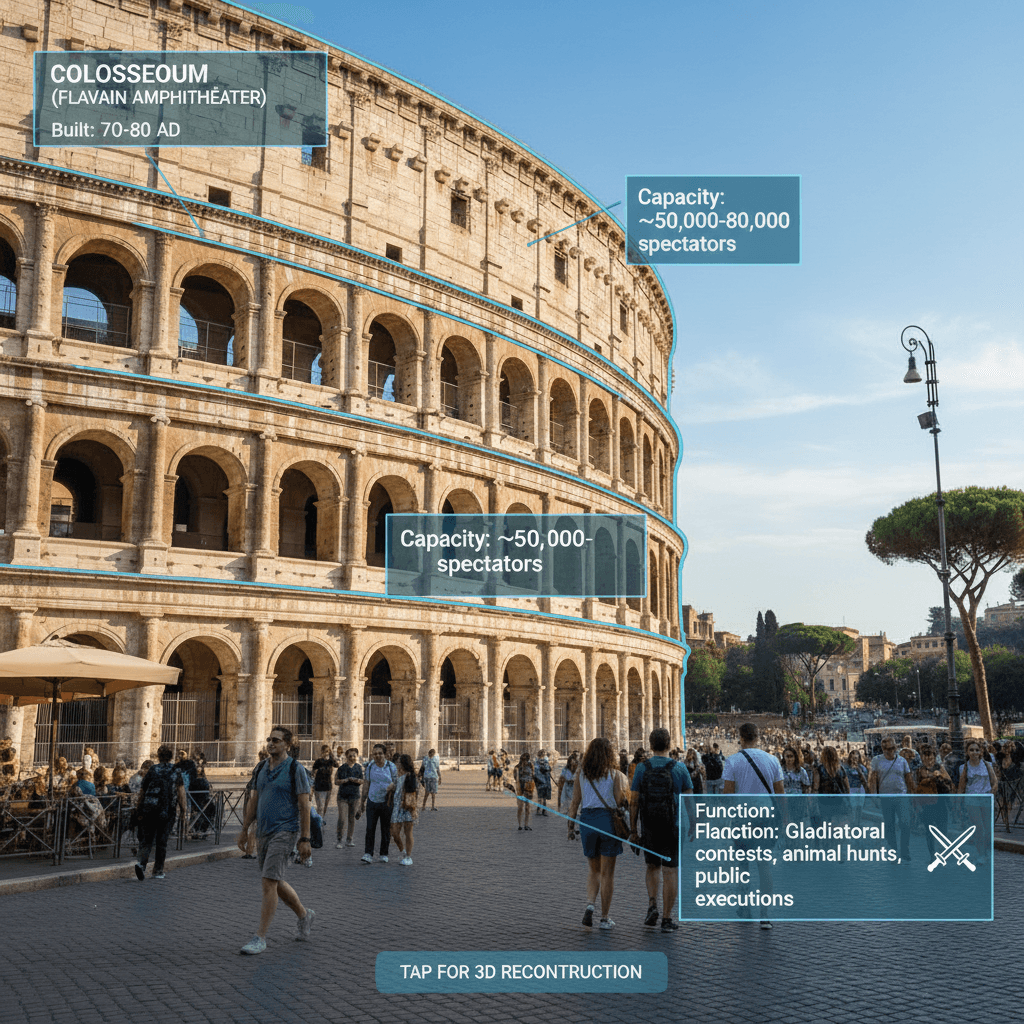
Your photo with the chosen landmark highlighted and annotated with labels, like an augmented-reality overlay.
Use it when
- Explaining a building, a plant or a machine in a tutorial post.
- Making a museum- or city-guide style image for a travel account.
- Turning a plain product photo into a labelled callout graphic.
How to run it
- Upload the photo. Replace [point of interest] with the thing to highlight, for example 'the clock tower'.
- Add 'labels in English' or your language if the output text comes out wrong.
- Check the facts in the labels before posting; the model writes what it believes, not what it verified.
Photos in Different Eras
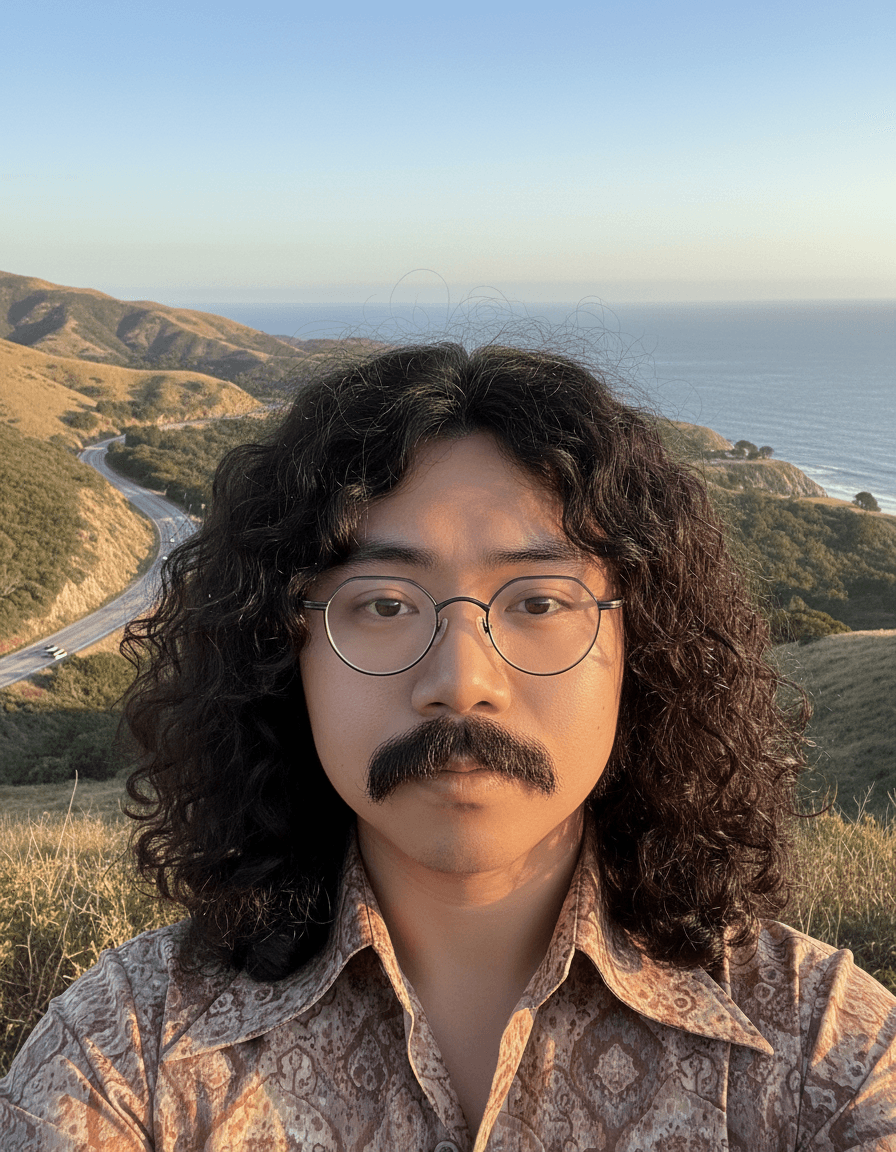
The same person restyled into another decade: hair, facial hair, clothing and background change, the face does not.
Use it when
- A 'me in the 70s' post or a themed party invitation.
- A family card where everyone is styled for the year they were born.
- Testing a vintage look for a brand shoot before booking it.
How to run it
- Upload a portrait with the face clearly lit.
- Fill in the brackets: the year, 'male' or 'female' styling, the hair, the facial hair, the landscape. Leave the last line, 'Don't change the character's face', as it is.
- Generate; repeat with a different year for a series.
Multi-Reference Image Generation
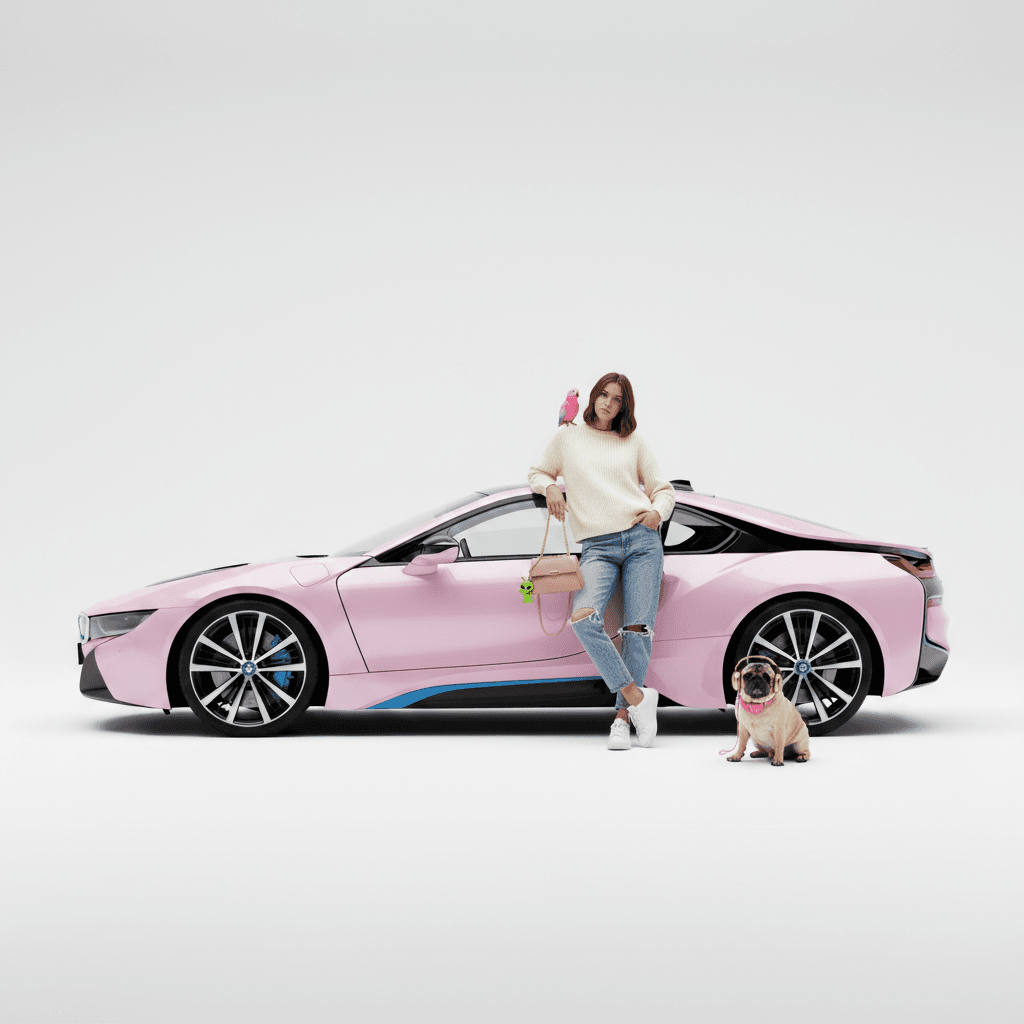
A staged studio scene built from a list of described items: a model leaning on a pink car, a handbag with a keychain, a parrot, a pug in headphones, all on grey.
Use it when
- Mocking up a product shot with several props before a real shoot.
- Composing a maximalist editorial image where every object matters.
- Testing how many separate items a single prompt can place correctly.
How to run it
- Rewrite the list with your own items: who is in the scene, what they lean on, what they hold, what sits next to them.
- Name the background once ('against a light grey background') so the model does not invent one.
- Count the objects in the result; if one is missing, move it earlier in the sentence and rerun.
Auto Photo Editing
A punchier version of a flat photo: more contrast, richer colour, better light, and a tighter crop if the model decides the edges add nothing.
Use it when
- A phone photo that looks grey and dull but is otherwise fine.
- Quickly improving a batch of listing or menu photos.
- A before-and-after post about editing.
How to run it
- Upload the photo and run the prompt as is.
- If you do not want it cropped, delete the last sentence about cropping.
- For a lighter touch, replace 'Enhance it!' with 'Lightly enhance it'.
Hand Drawing Controls Poses
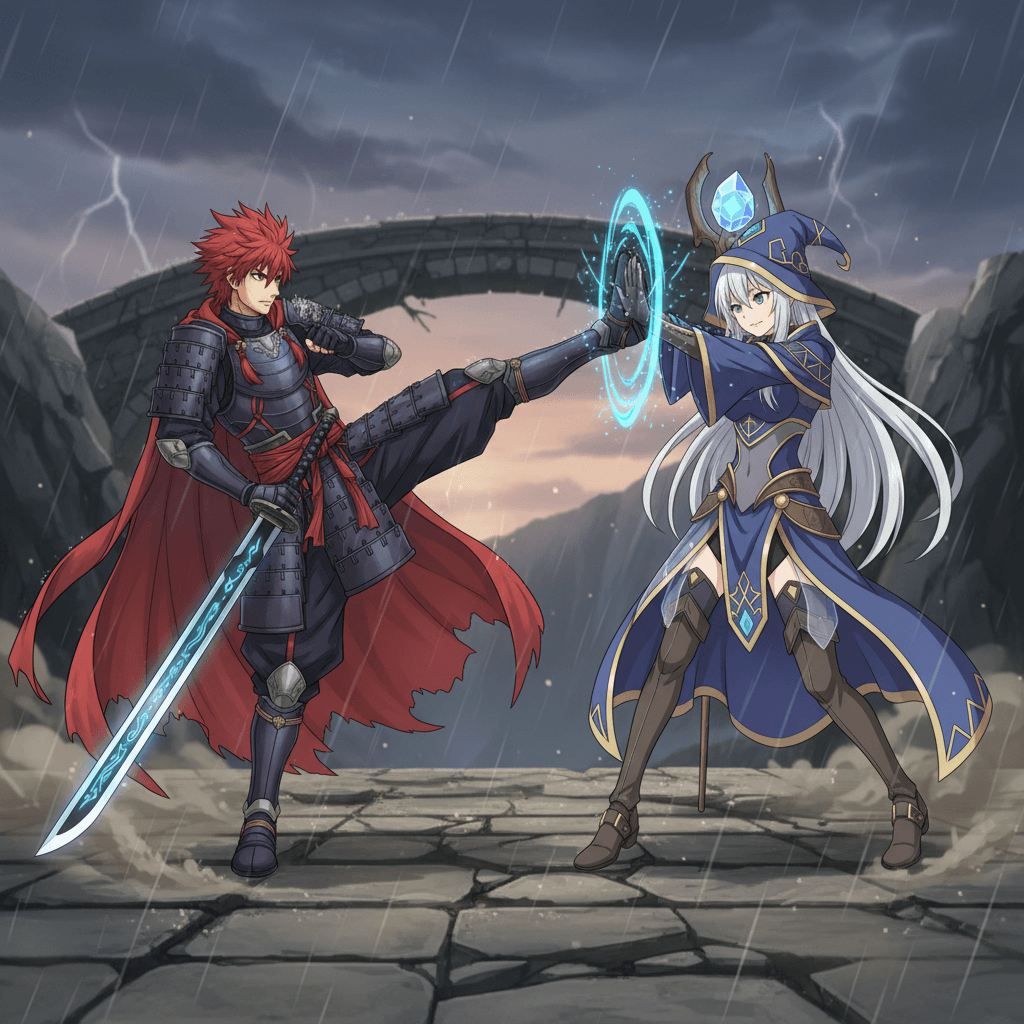
Two of your characters fighting in the exact pose from a stick-figure sketch, with a background and scene effects added, in 16:9.
Use it when
- Comic or storyboard panels where you know the pose but cannot draw it finished.
- Fan art of two characters in an action scene.
- Thumbnails for a video where the composition is fixed in advance.
How to run it
- Prepare three images: character one, character two, and a rough drawing of the pose.
- Upload them in that order so 'Figure 3' is the sketch. Run the prompt.
- Change 'fight' to 'dance' or 'hug' for a different interaction; keep the ratio line if you need widescreen.
Cross-View Image Conversion
A top-down map-style view of the scene in your photo, with a marker showing where the photographer stood.
Use it when
- Explaining a room layout or a venue from a single photo.
- Accident or incident sketches for a report.
- Turning a landscape photo into a simple plan for a hike or a garden.
How to run it
- Upload a photo with visible ground, walls or paths so the model can infer the layout.
- Run the prompt unchanged.
- Treat the result as a diagram, not a measurement.
Custom Character Stickers
Your character redrawn as a web-illustration sticker with a thick white outline and a short playful caption, matching the style of a sticker you show it.
Use it when
- A sticker pack for a chat app from your own mascot or pet.
- Merch mock-ups for a shop.
- Reaction images with your character and a one-word caption.
How to run it
- Upload the character (Figure 1) and a sticker whose style you like (Figure 2).
- Run the prompt; the caption is written by the model. To choose it yourself, replace 'a playful white outline short phrase' with the exact words.
- Export on a plain white background for cutting.
Anime to Real Coser
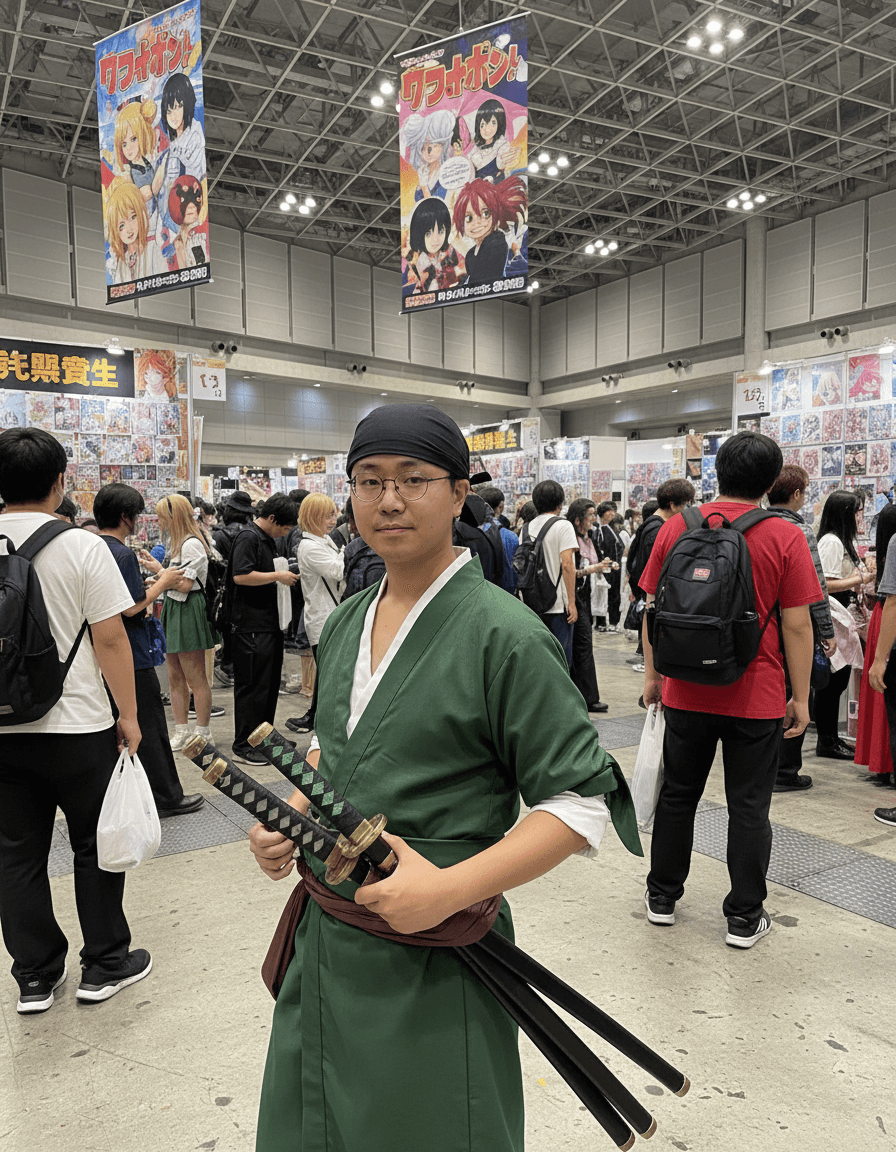
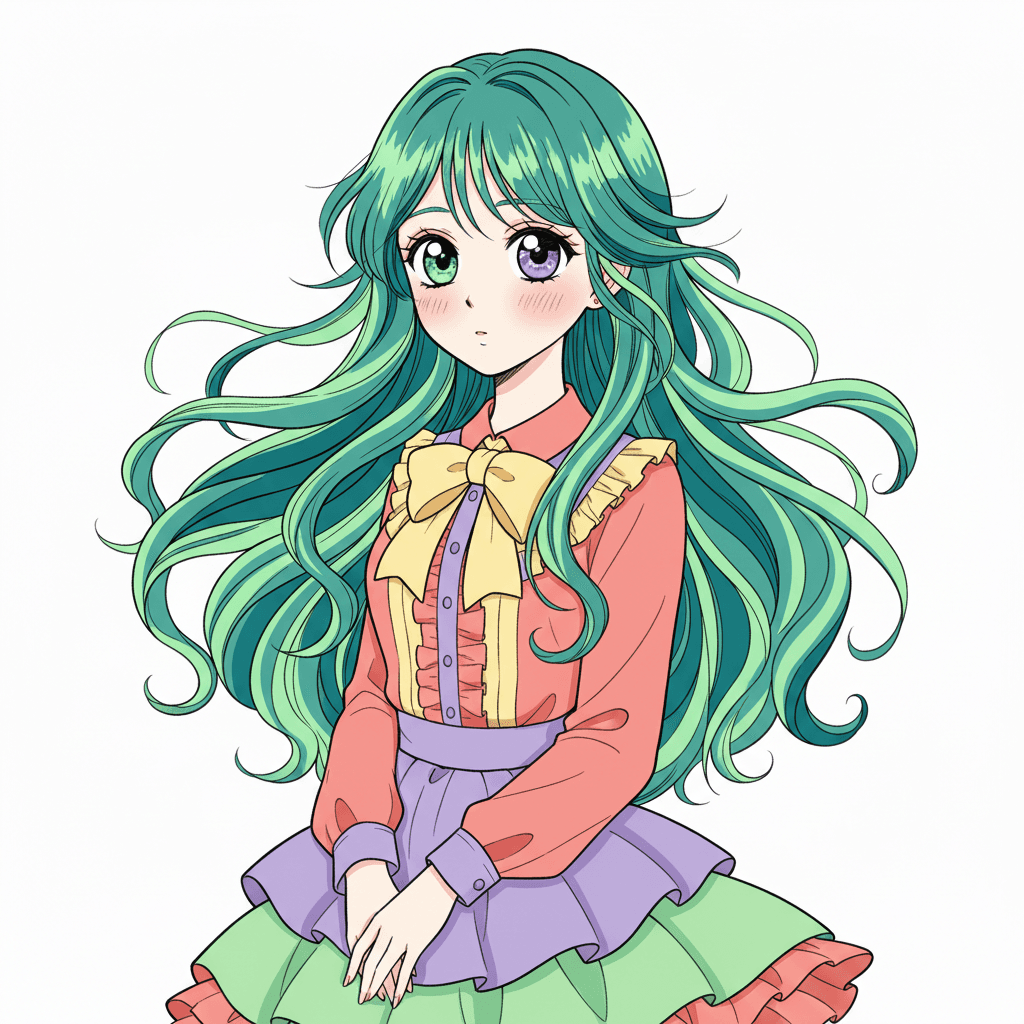
A realistic photo of a person cosplaying the illustrated character you upload, standing at a comic convention.
Use it when
- Sharing a convention trip: you and friends 'as' your favourite characters without making the costumes.
- Previewing a cosplay plan to see how the outfit reads on a real body before sewing it.
- Fan-club or Discord posts for a character's birthday.
How to run it
- Upload the character illustration.
- Change 'Comiket' to the event you attend, and 'a girl' to the person you want ('a tall man', 'two friends').
- The face is invented by the model; to use a real person's face, add their photo and write 'the cosplayer has the face from the second image'.
Character Design Sheet
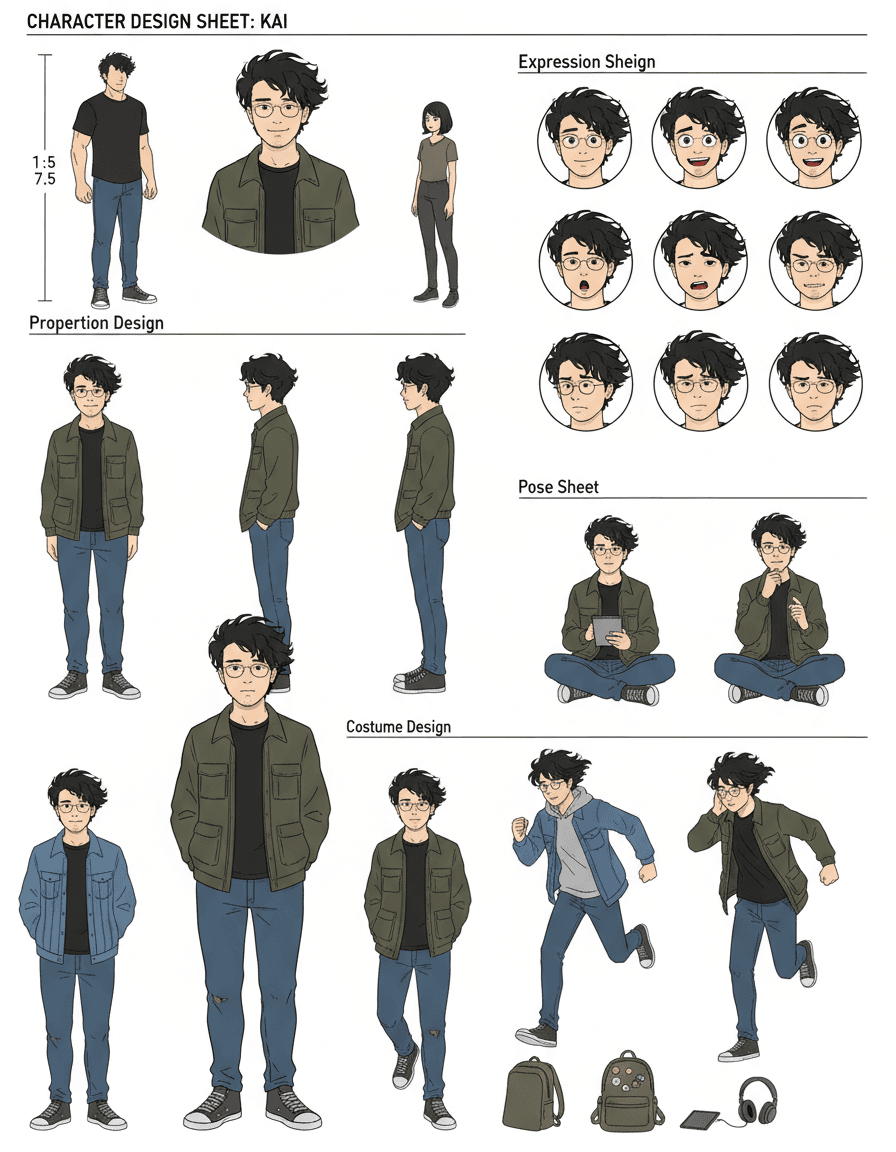
A full reference sheet for one character: proportions and height comparison, front, side and back views, an expression sheet, common poses and costume design.
Use it when
- Briefing an animator, 3D modeller or commissioned artist.
- Keeping a webcomic character consistent across pages.
- Documenting a mascot for a brand guide.
How to run it
- Upload one clear image of the character, ideally full body.
- Run the prompt. If you only need part of the sheet, delete the lines you do not want (for example keep only 'Three views').
- Generate the sheet once, then reuse it as the reference image for every later prompt about this character.
Color Line Art Using Palette
Your line drawing coloured strictly with the colours from a second image, so a sketch takes on a photo's or a brand's palette.
Use it when
- Colouring a sketch to match a brand palette or a mood board.
- Making a colouring-page result consistent with a reference photo.
- Trying several palettes on the same drawing before committing.
How to run it
- Upload the line art as Figure 1 and the palette source (a photo, a swatch sheet) as Figure 2.
- Run the prompt unchanged.
- If colours bleed outside the lines, add 'keep the line art crisp and unchanged'.
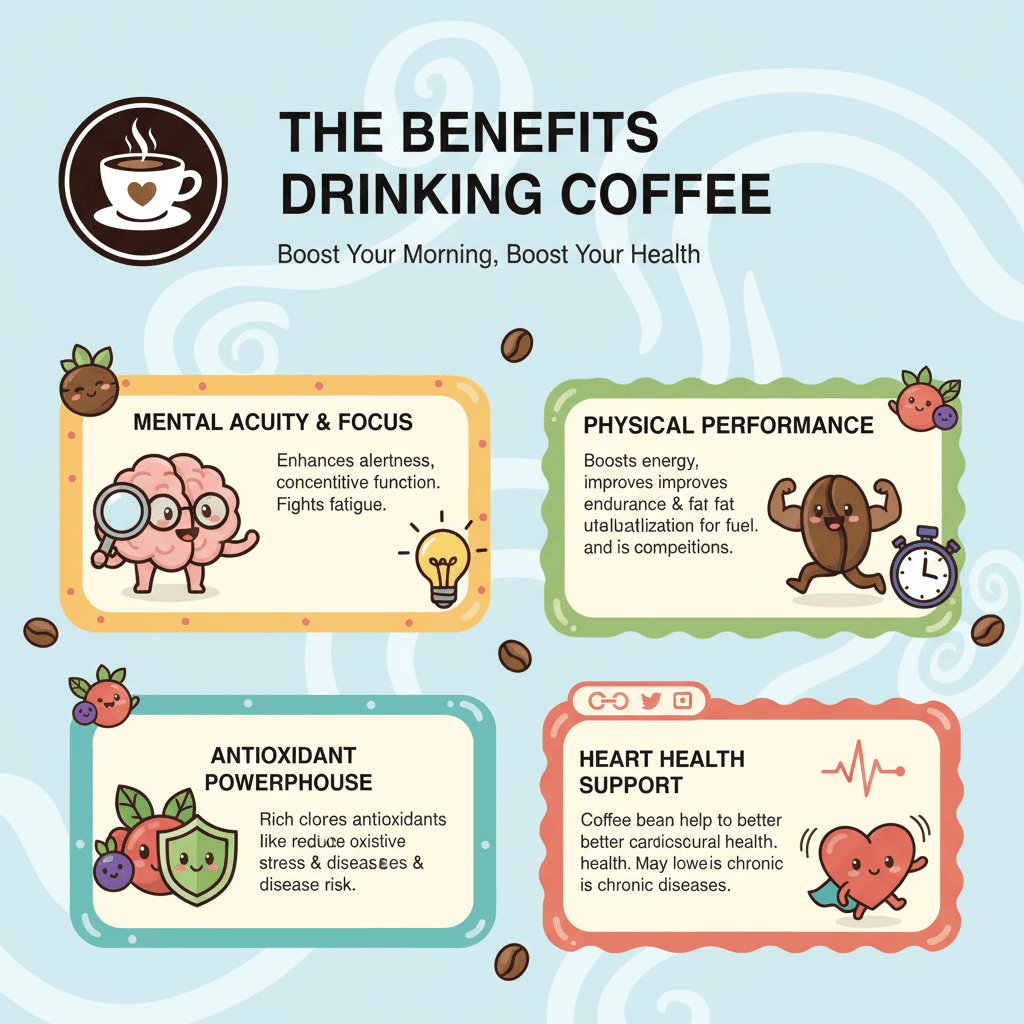
Article Infographic
An infographic that summarises pasted article text in English: main title only, key points, cute cartoon characters and elements.
Use it when
- Turning a blog post or a newsletter into a shareable image.
- Study notes for a class: paste the chapter, get a one-page visual.
- A LinkedIn carousel slide from a report.
How to run it
- Paste the article text into the prompt after 'article content', or upload a screenshot of it.
- Keep the four requirements; change 'English' if you want another language.
- Read every word on the result before posting. Infographic text can contain mistakes; Pop-Cam's Notes to Infographic tool is built for exactly this job.
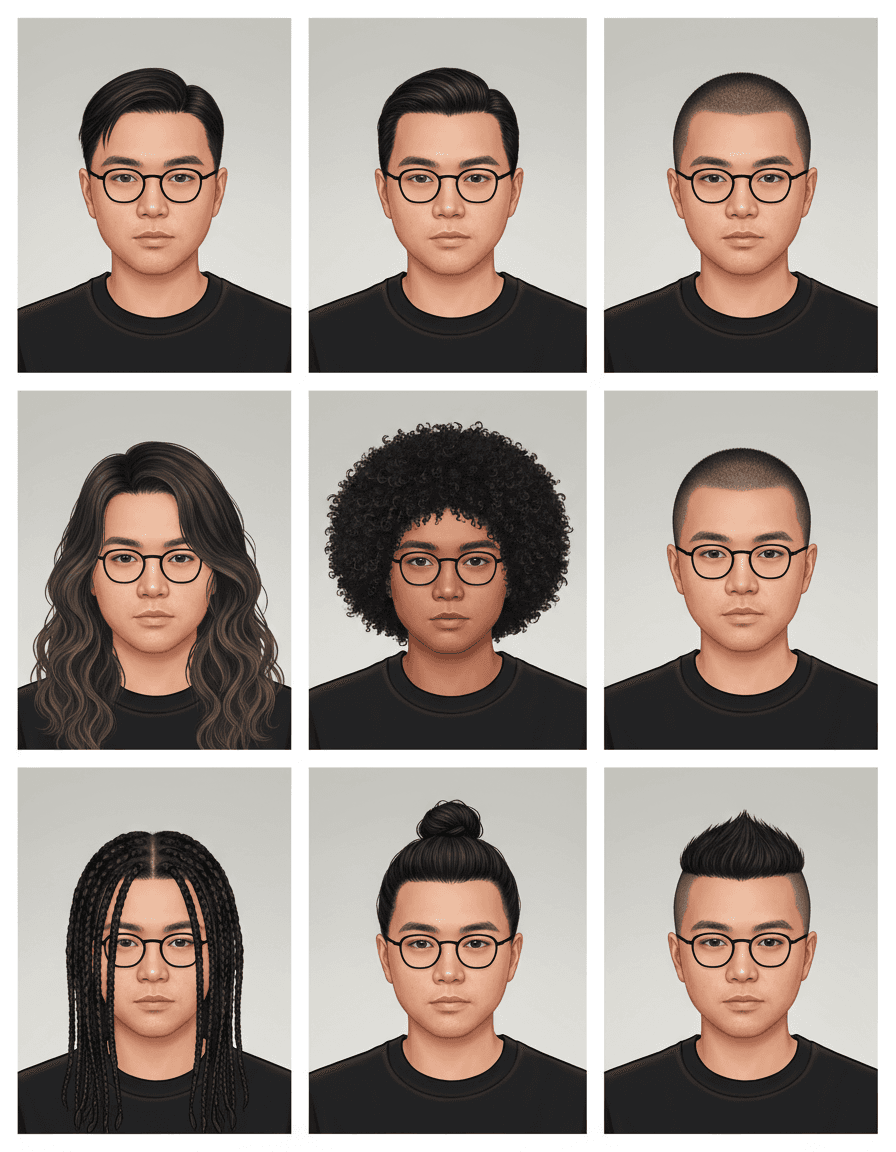
Multi-Hairstyle Avatar
A 3x3 grid of the same person with nine different hairstyles.
Use it when
- Deciding on a haircut before the appointment.
- A fun 'which one?' post for followers to vote on.
- Avatar options for a profile where you want to try looks quickly.
How to run it
- Upload a front-facing portrait with the hairline visible.
- Run the prompt; to steer it, add 'including a buzz cut, a bob and long curls'.
- Change '3x3' to '2x2' for four bigger previews.
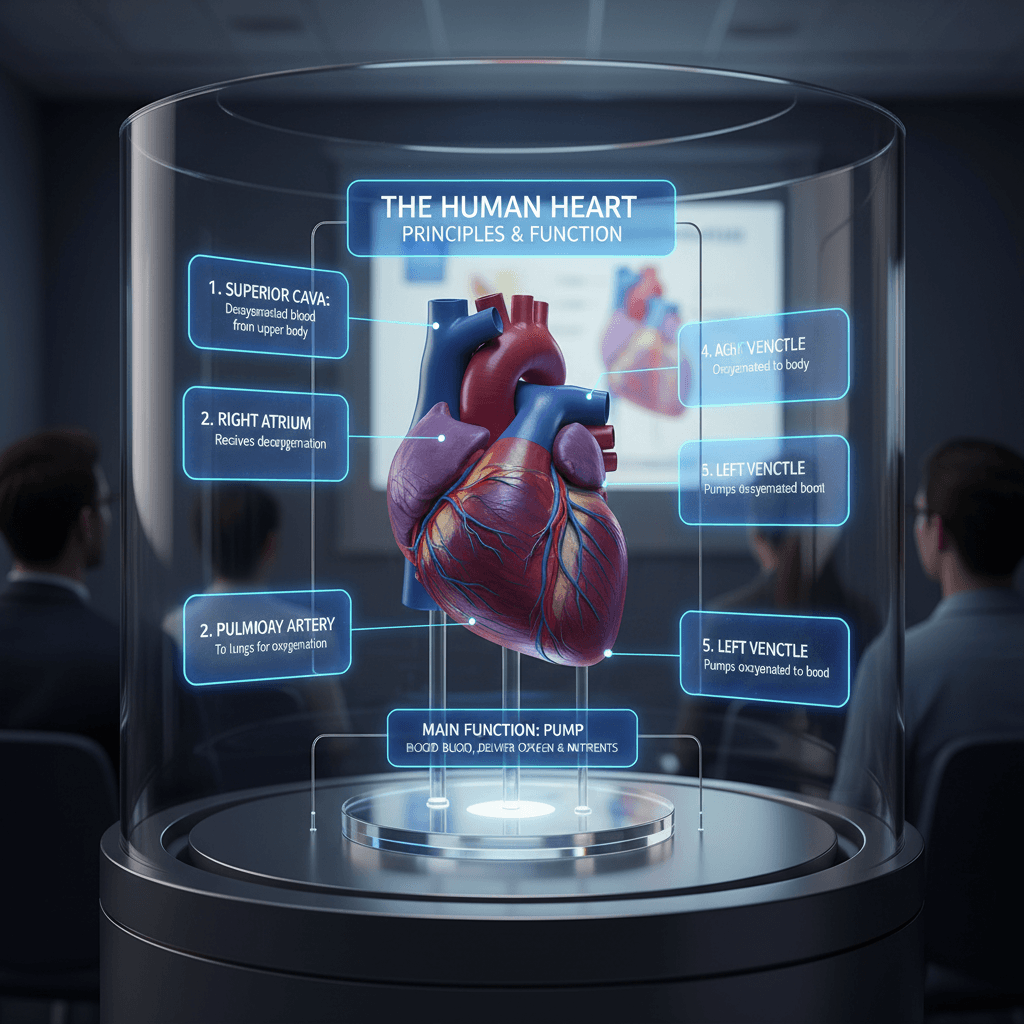
3D Model Diagram with Labels
A realistic labelled diagram of a subject, like a cutaway organ model, annotated for a presentation.
Use it when
- Teaching slides for biology, anatomy, engineering or geography.
- Explainer posts that need a 'textbook figure' look.
- Placeholder figures while the real illustration is being made.
How to run it
- Replace the bracketed subject ('3D human organ model display example heart') and the function note with your topic.
- No photo is needed; it generates from text.
- Check every label against a reliable source. The model can place a label on the wrong part.
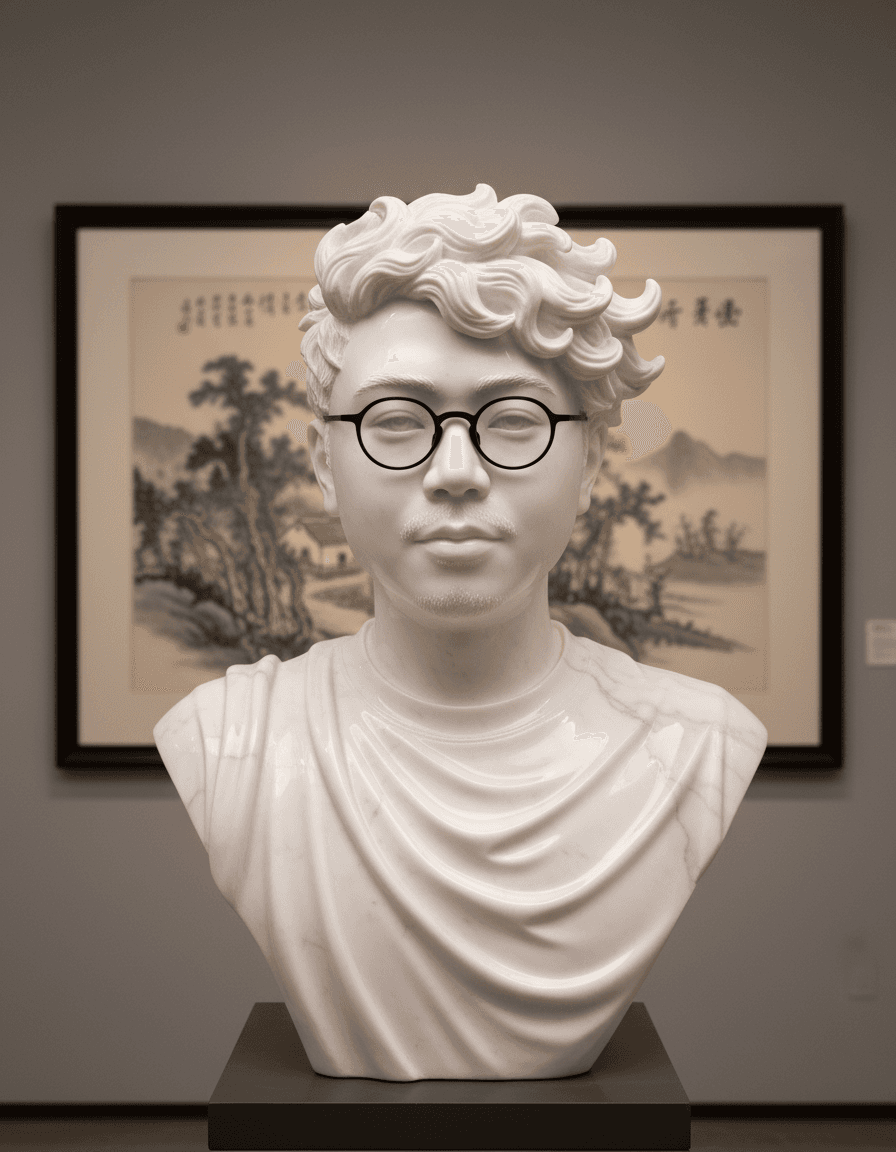
Marble Sculpture
A photorealistic polished marble bust or statue of the subject in your photo, lit to show the stone's surface.
Use it when
- A dramatic portrait for a profile or a wedding gift.
- Pet owners who want a 'museum piece' of their dog or cat.
- Brand mascots rendered as classical statues for a campaign.
How to run it
- Upload a photo with strong light and a simple background; the model reads the contours from the shadows.
- Run the prompt unchanged. For bronze, replace 'shining marble' with 'patinated bronze'.
- Generate; crop to the bust if the full body looks off.
Cook from Ingredients
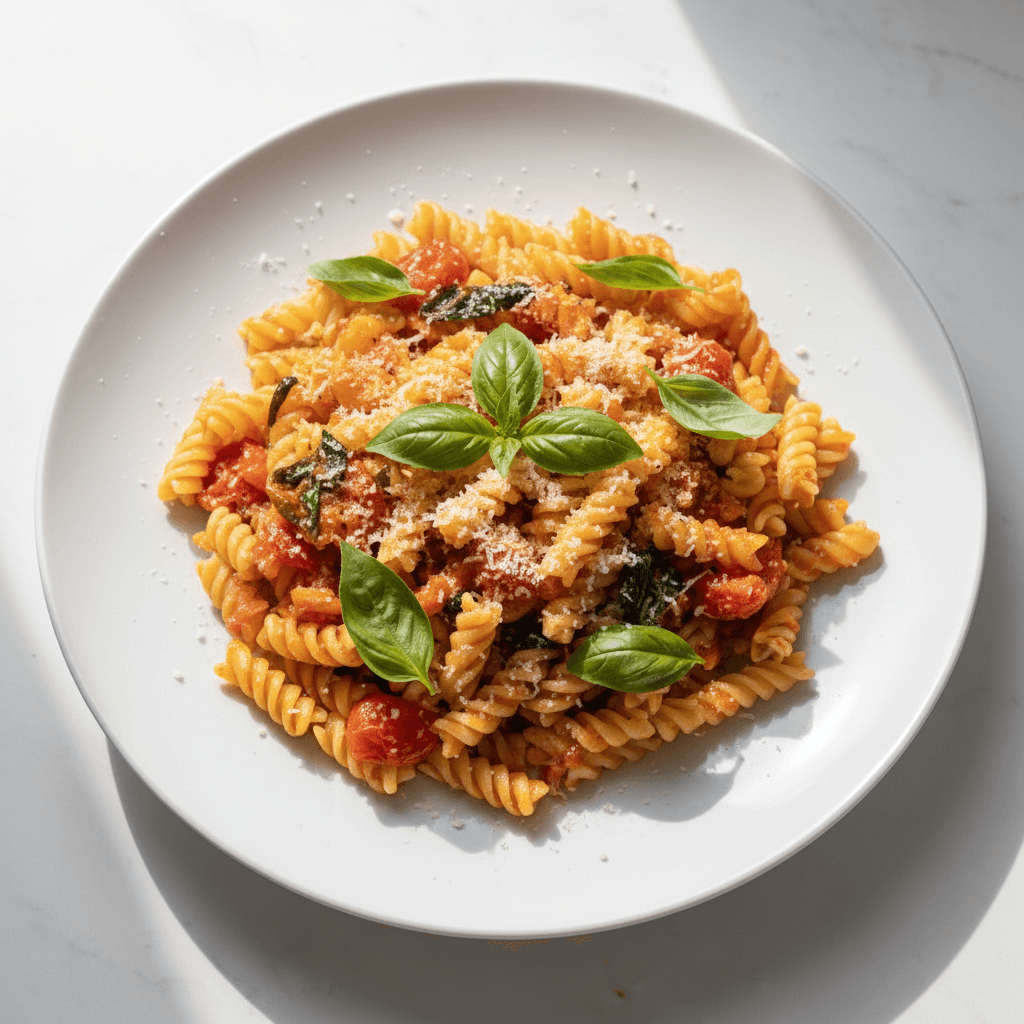
A plated, finished lunch made from the raw ingredients in your photo, shown close-up on one plate with everything else removed.
Use it when
- A 'what can I make with this' post from a fridge photo.
- Recipe ideas for a food blog when you only have the ingredients shot.
- Menu development: visualising a dish before cooking it.
How to run it
- Upload a photo of the ingredients laid out.
- Change 'lunch' to the meal or cuisine you want ('a Thai dinner').
- Generate; the plating is invented, so write your own recipe rather than copying the picture.
Math Problem Reasoning
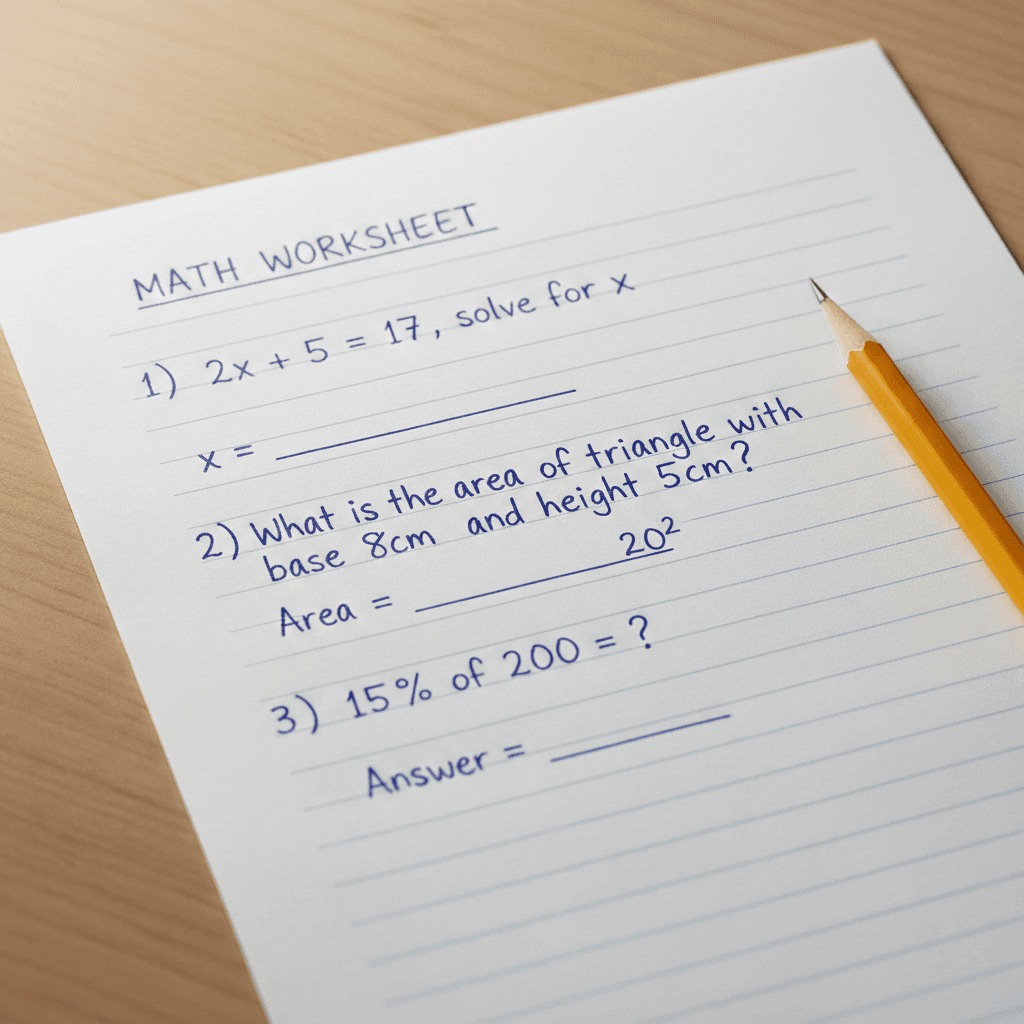
Your photographed worksheet with the answers written in at the right spots.
Use it when
- Checking homework answers against your own.
- Making an answer-key image for a class handout.
- Testing how a model handles a written problem.
How to run it
- Upload a clear, flat photo of the problem sheet.
- Run the prompt unchanged.
- Verify every answer; the model can be wrong, and the image will look confident either way.
Old Photo Colorization
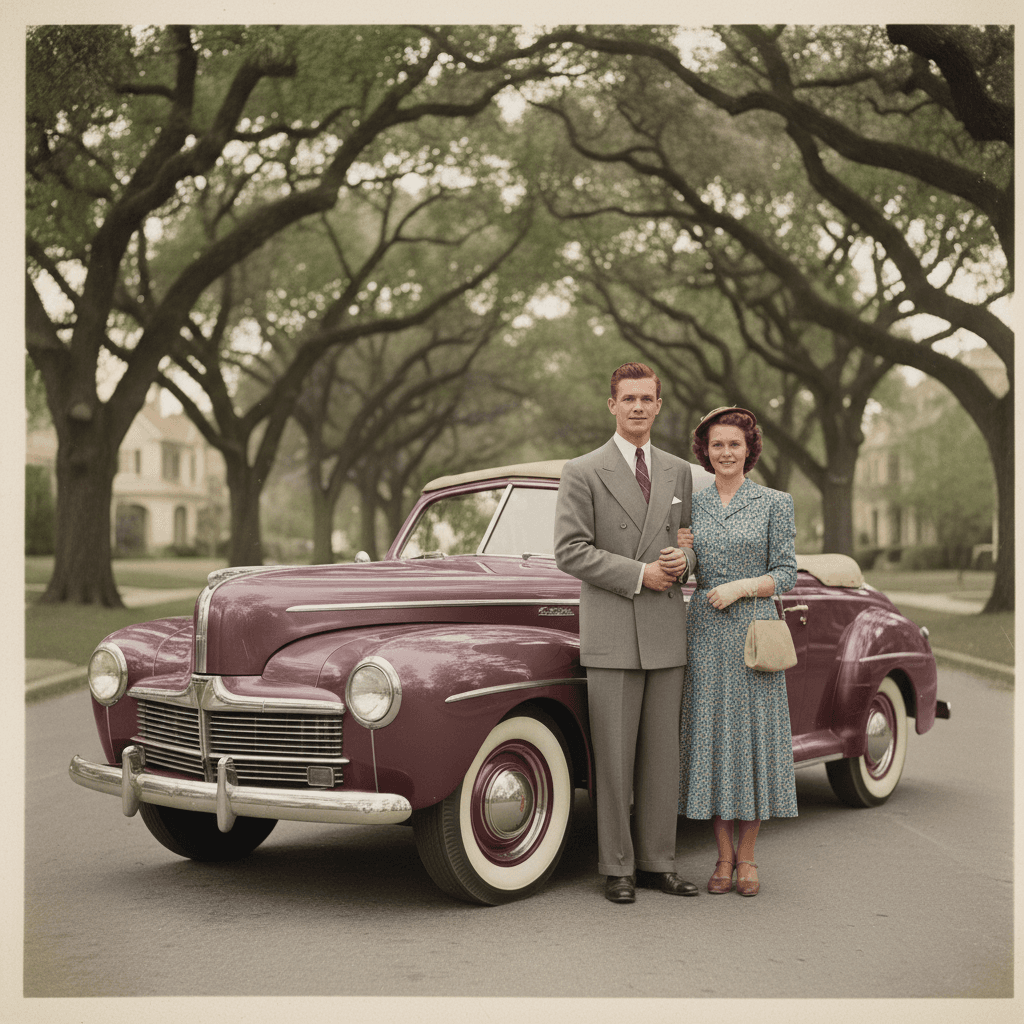
A restored and colourised version of a faded or black-and-white photo: scratches reduced, colours added, faces kept.
Use it when
- Family archives for a reunion slideshow or a memorial.
- A 'then and now' post for a local history account.
- Restoring a damaged print before reprinting it.
How to run it
- Scan or photograph the print flat, in even light, with no glare.
- Run the prompt unchanged.
- Colours are a best guess. If you know the real colour of a dress or a car, add it: 'the car is dark green'.
OOTD Outfit
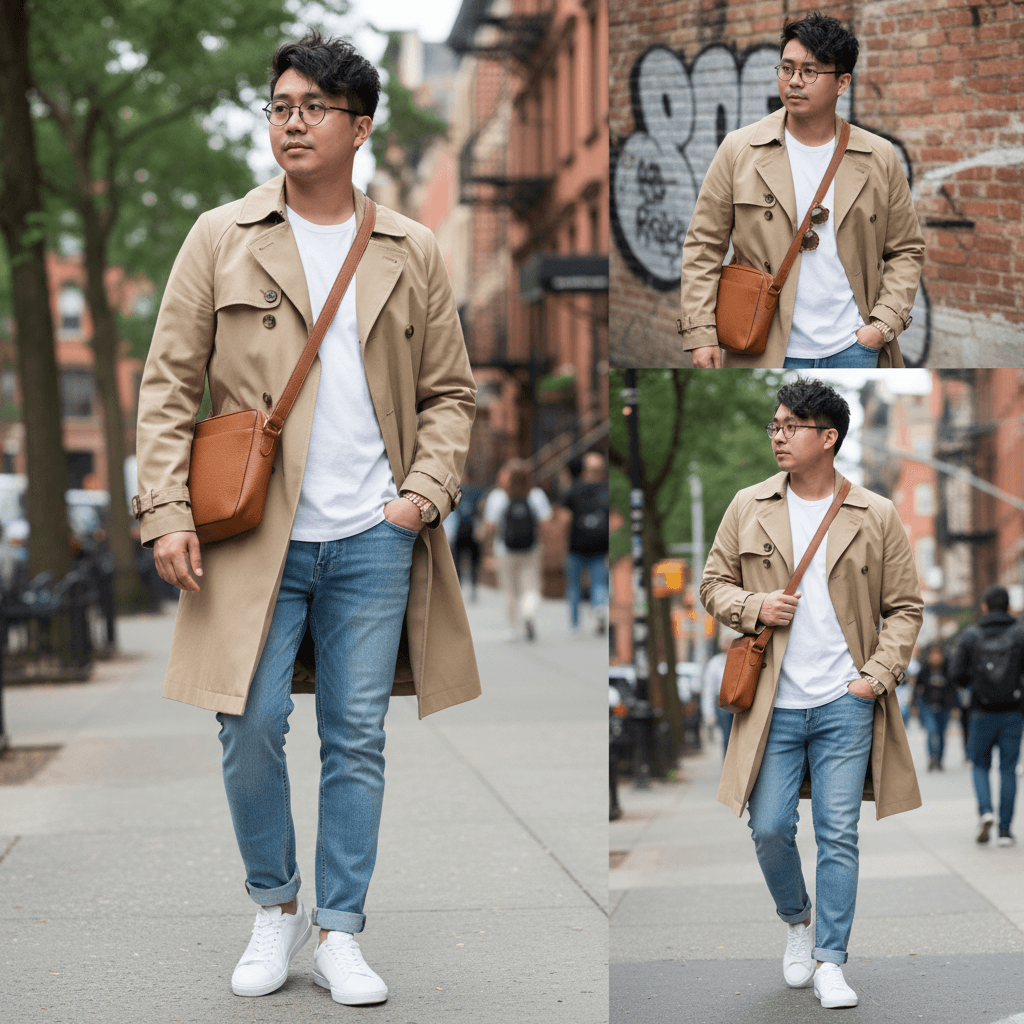
A series of realistic outdoor street-style photos of the person from Image 1 wearing every item from Image 2, full body, natural light.
Use it when
- Trying a flat-lay outfit on yourself before buying it.
- Fashion resellers showing a listing on a body.
- Styling content without a photographer.
How to run it
- Upload yourself (Image 1) and the clothes and accessories, a flat lay or a product shot (Image 2).
- Run the prompt; change 'outdoors' and 'street style' to the setting you want.
- For one photo instead of a series, replace 'a series of' with 'one'.
Clothing Replacement
The person in your photo wearing the garment from a reference image, with pose, face, background and lighting unchanged.
Use it when
- Changing a shirt colour or style in a photo you otherwise like.
- Shop owners showing one model in several products.
- Checking if a jacket suits you using a product photo.
How to run it
- Upload the person (input image) and the garment (reference image).
- Run the prompt unchanged; it already forbids changing identity and background.
- Pop-Cam's AI Outfit Changer tool does this in one click if you do not want to edit text.
Multi-View Product Render
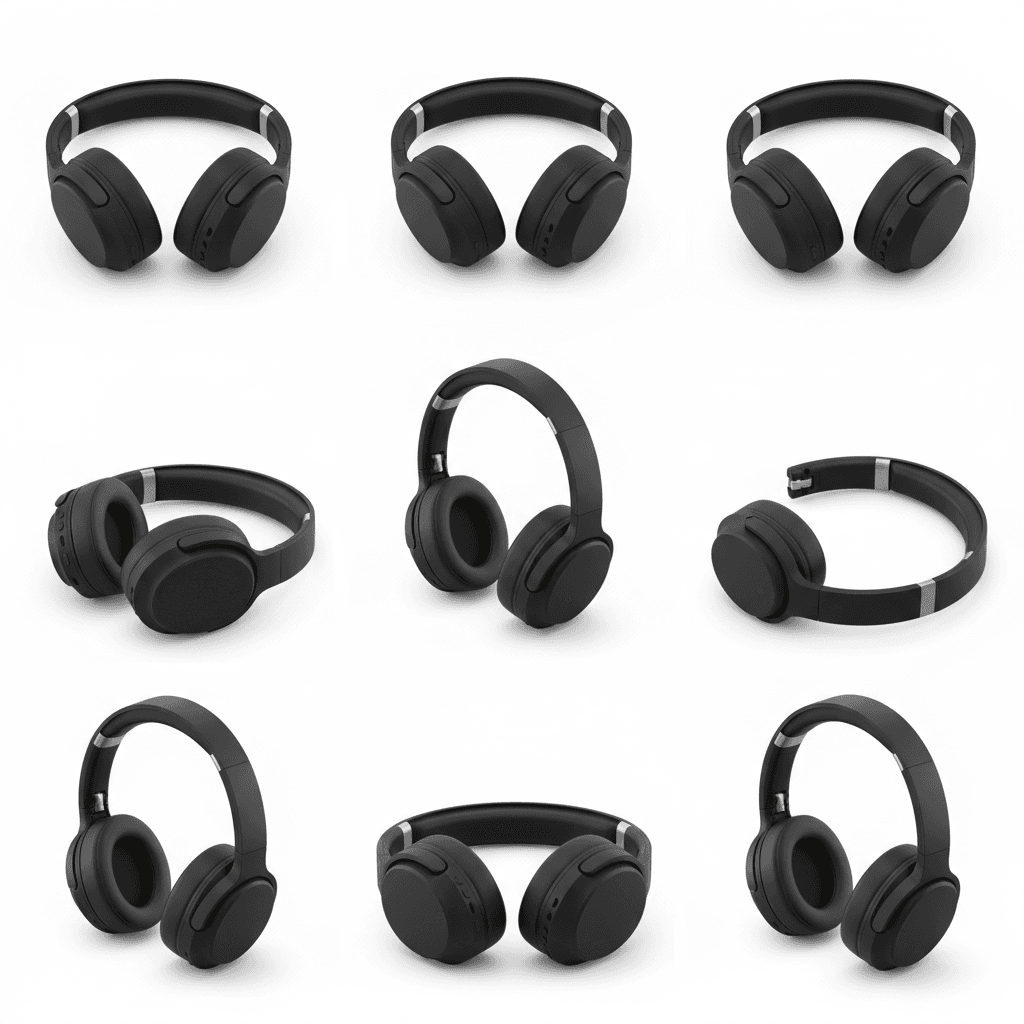
Six orthographic views of a product (front, rear, left, right, top, bottom) on white, evenly spaced, consistent in size.
Use it when
- Spec sheets and packaging artwork.
- Listing images that need the back and the underside.
- A reference set before 3D modelling a product.
How to run it
- Upload one clean photo of the product on a plain background.
- Run the prompt unchanged.
- Unseen sides are inferred; check the back and bottom against the real item before publishing.
Movie Storyboard
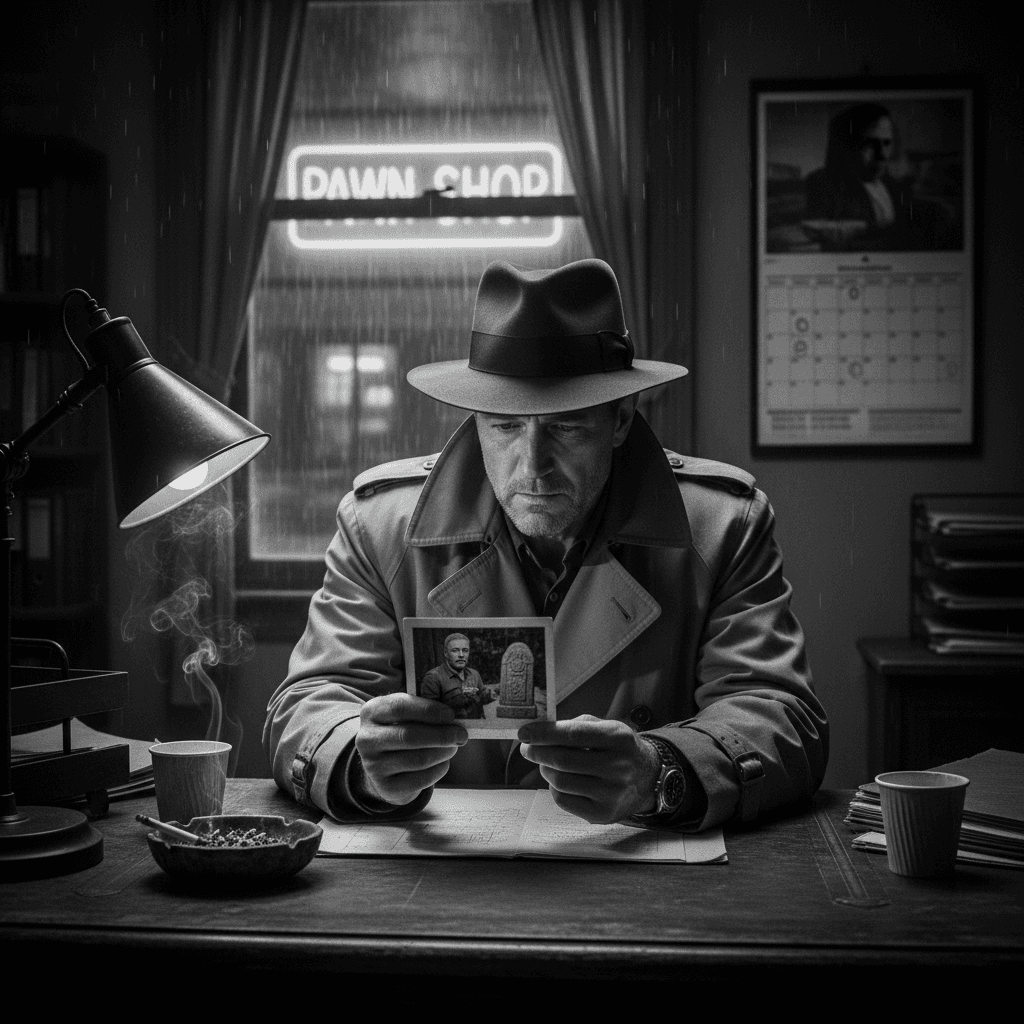
A twelve-image black-and-white film-noir story with your two characters hunting for missing treasure, told without any text in the frames.
Use it when
- A comic-strip gift about two friends or a couple.
- A storyboard draft for a short film pitch.
- A long-form carousel post with a beginning, middle and twist.
How to run it
- Upload images of the two characters.
- Edit the genre, the plot and the number of frames in the prompt ('8 images', 'a heist in Tokyo').
- Expect a longer render; if frames come back with text, repeat 'no words or text on the images' at the end.
Pose Modification
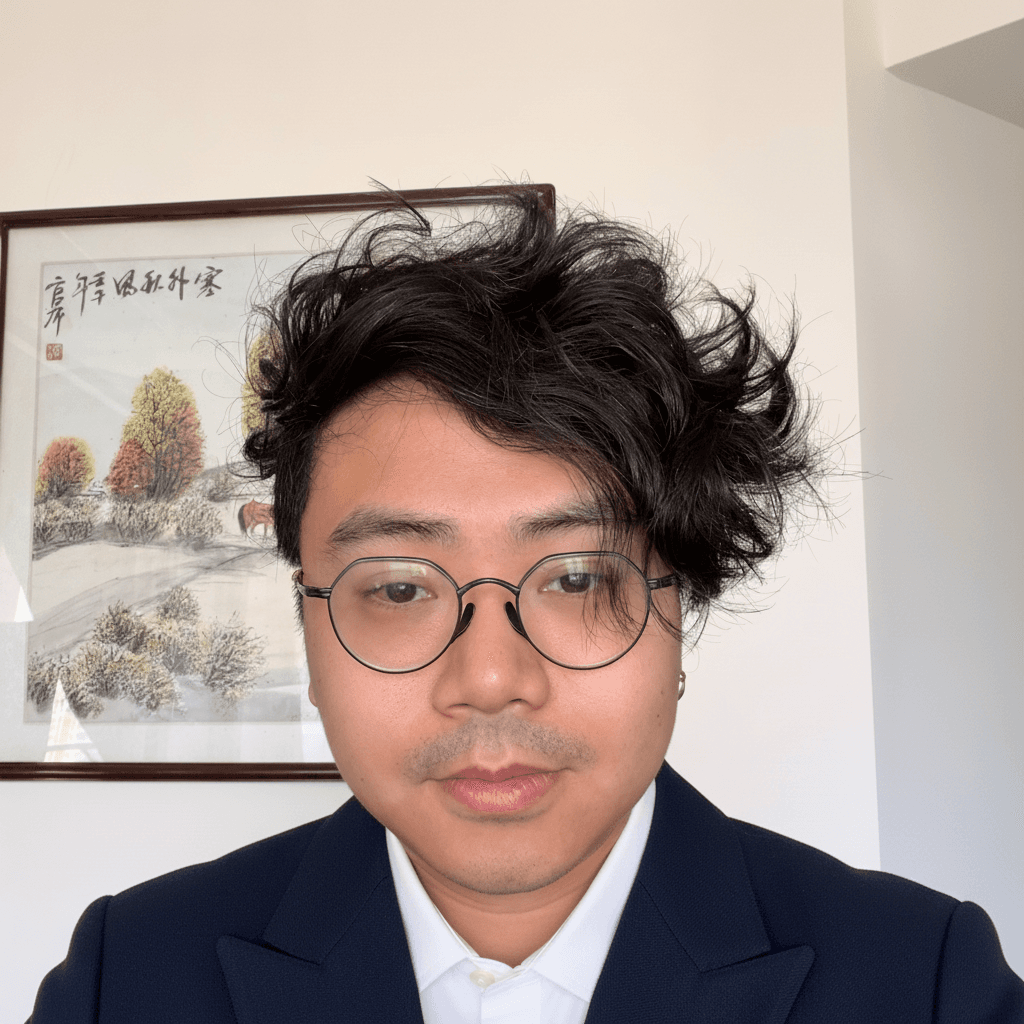
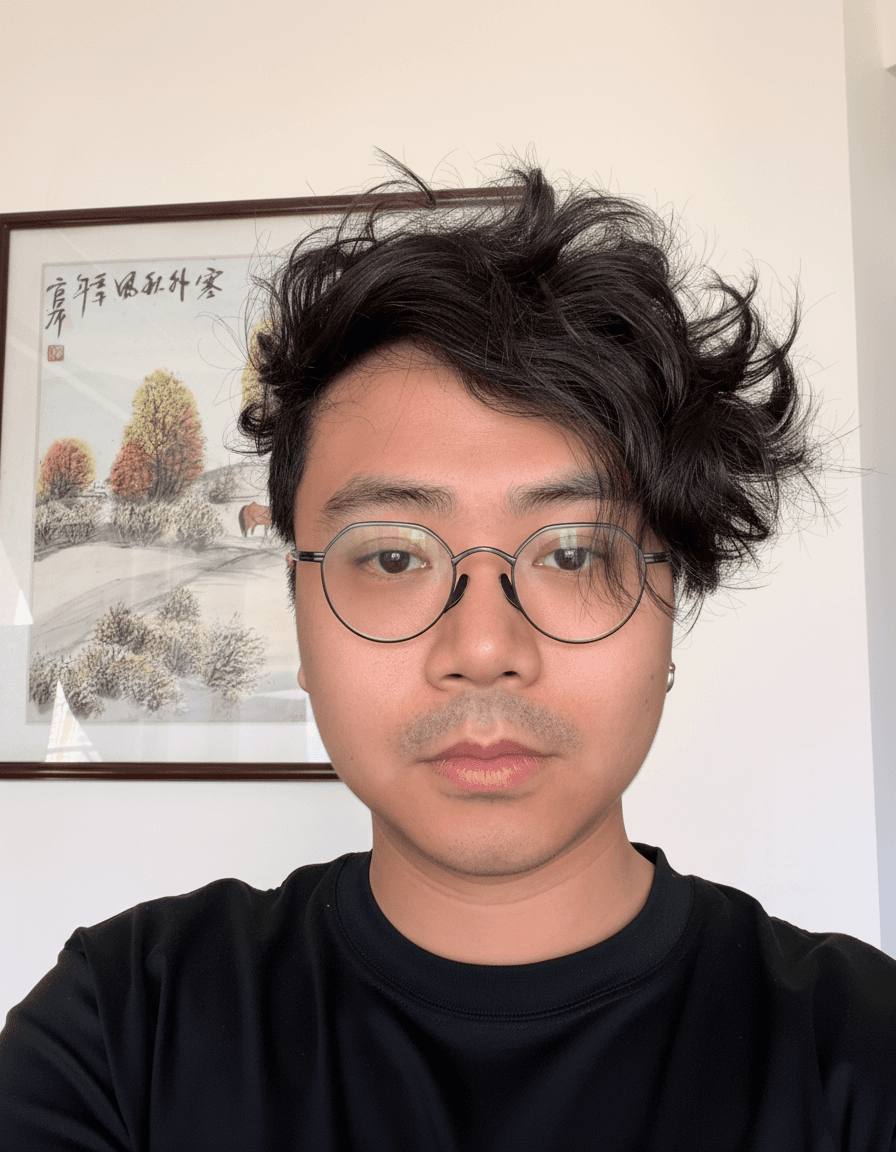
The person in the photo turned to look straight at the camera.
Use it when
- Fixing a group photo where one person looked away.
- Making a candid shot usable as a profile picture.
- Matching eye direction across a set of headshots.
How to run it
- Upload the photo.
- Run the prompt, or change 'straight ahead' to 'slightly to the left'.
- Works best when the face is at a three-quarter angle or less; a full profile has too little face to rebuild.
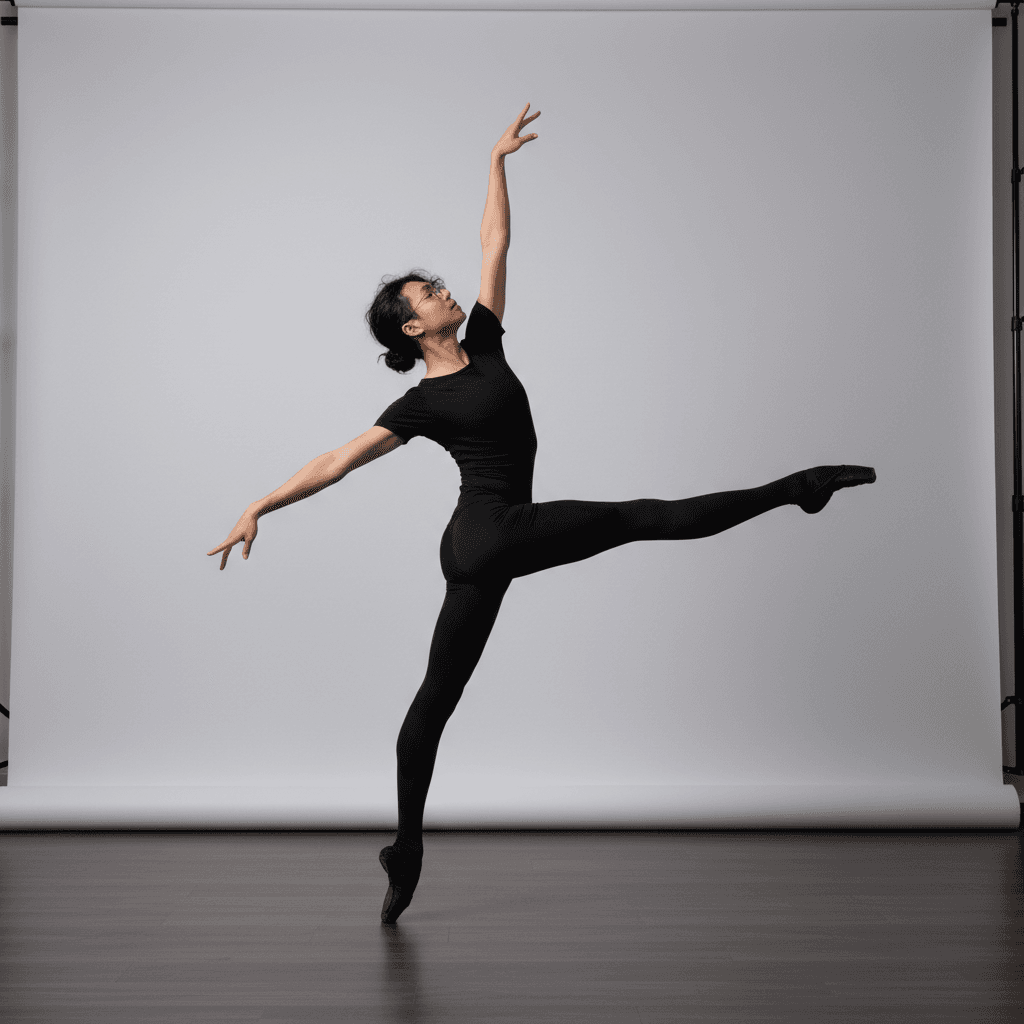
Line Drawing to Image
The person from Figure 1 re-posed to match the stick figure or sketch in Figure 2, shot as a professional studio photo.
Use it when
- Getting a specific pose for a product or fashion shot without directing a model.
- Reference images for drawing when you can only sketch the pose.
- Consistent poses across a set of team photos.
How to run it
- Upload the person (Figure 1) and a sketch of the pose (Figure 2); a stick figure is enough.
- Run the prompt. Replace 'professional studio' with another setting if needed.
- If the clothes change, add 'keep the clothing from Figure 1'.
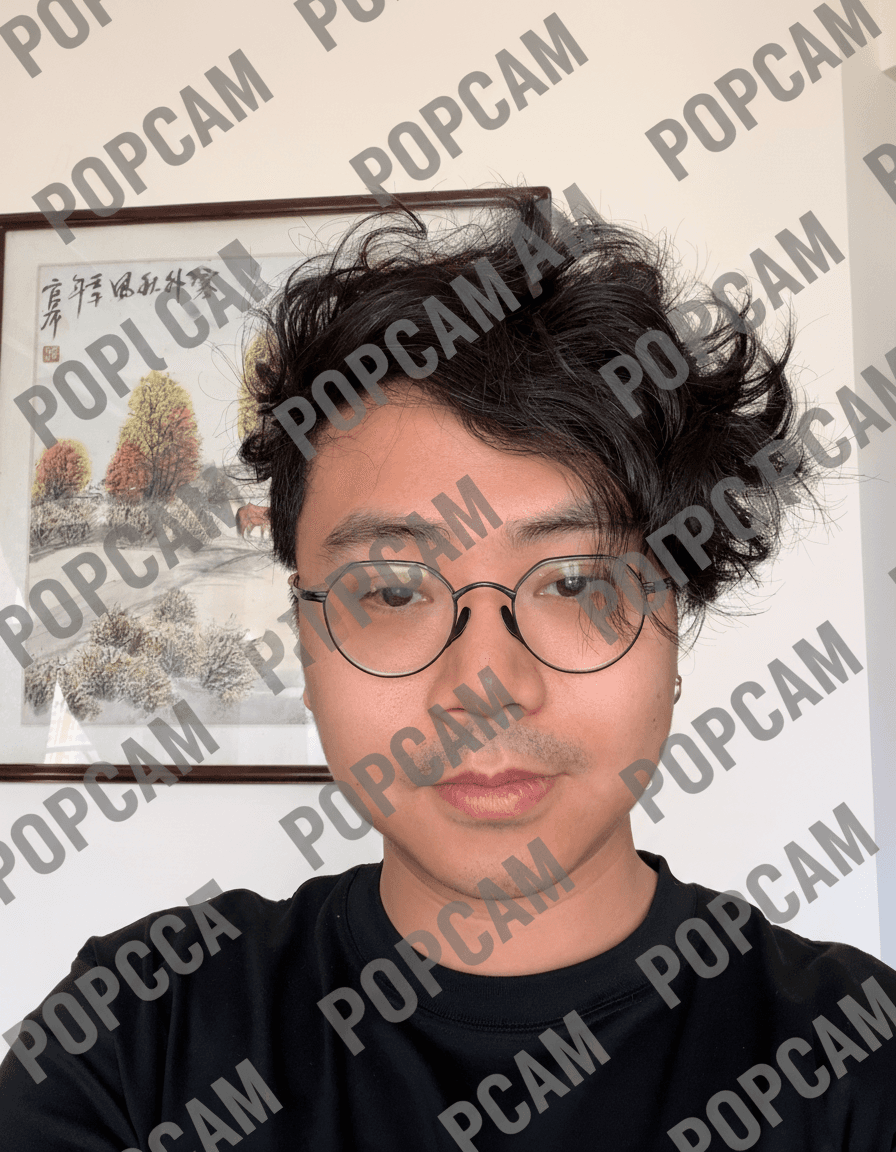
Add Watermark
The image tiled edge to edge with a repeated word as a watermark.
Use it when
- Marking a preview before a client pays.
- Draft stamps on work-in-progress images.
- A deliberate meme or protest-style visual.
How to run it
- Upload the image and replace the quoted word with yours.
- Add 'semi-transparent, diagonal' for a lighter mark.
- This is a visual mark only; it is not a legal or tamper-proof watermark.
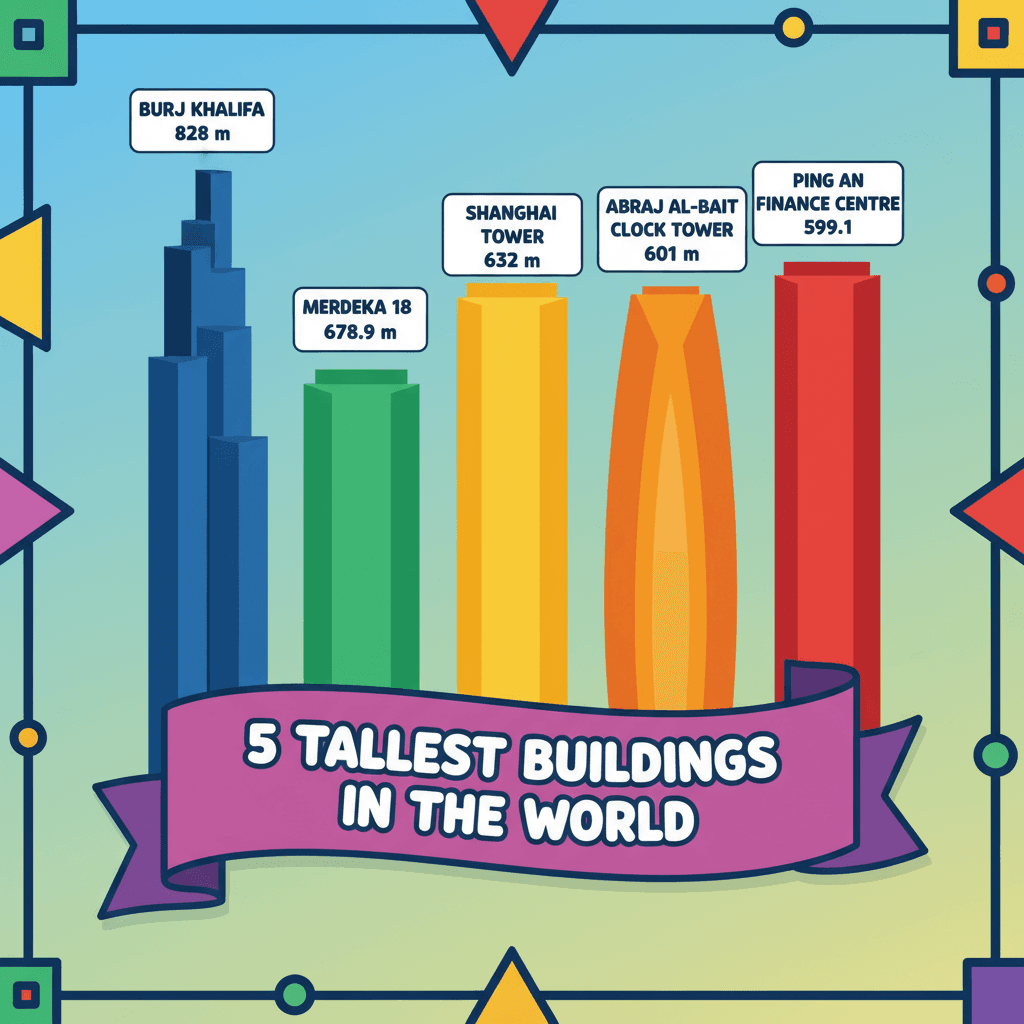
Knowledge Reasoning Infographic
A colourful infographic on any factual topic from a one-line request, such as the five tallest buildings in the world.
Use it when
- Quick explainer graphics for social posts.
- Classroom slides on a list-style topic.
- Placeholder visuals in a deck.
How to run it
- Replace the topic in the prompt. No image is needed.
- Add 'in English' or another language if the text comes out mixed.
- Fact-check the numbers. The model draws what it believes, and figures on infographics are often out of date.
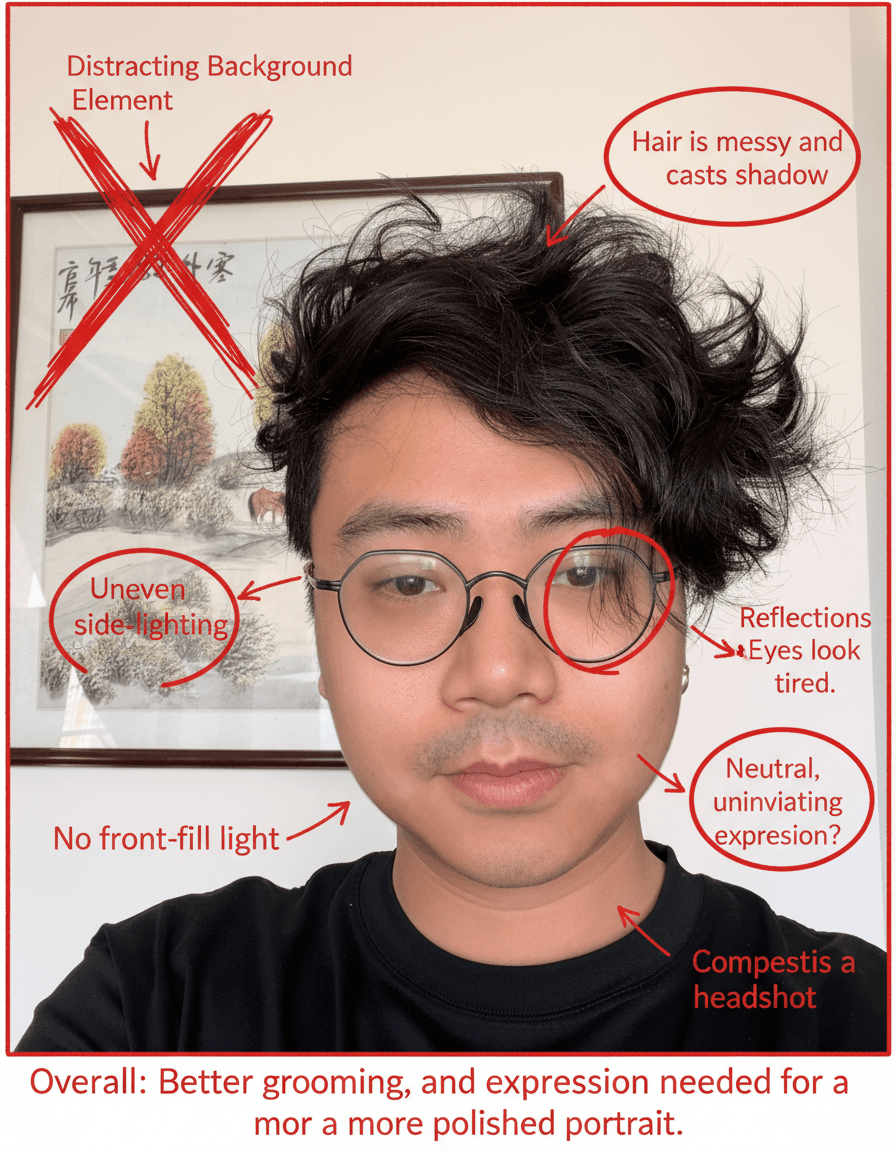
Red Pen Image Review
Your image marked up with red-pen notes pointing out what could be improved, like a teacher's or art director's critique.
Use it when
- Spotting things that look off in a draft design, a layout or a photo before you send it.
- Finding inconsistencies in an AI-generated image (extra fingers, wrong shadows) before using it.
- Getting a second opinion on a drawing when nobody is around to ask.
How to run it
- Upload the image to review.
- Run the prompt; to focus the critique, add 'focus on composition' or 'focus on anatomy'.
- Read the notes as suggestions, then fix the original yourself or run a targeted edit prompt.
Explosive Food Ad
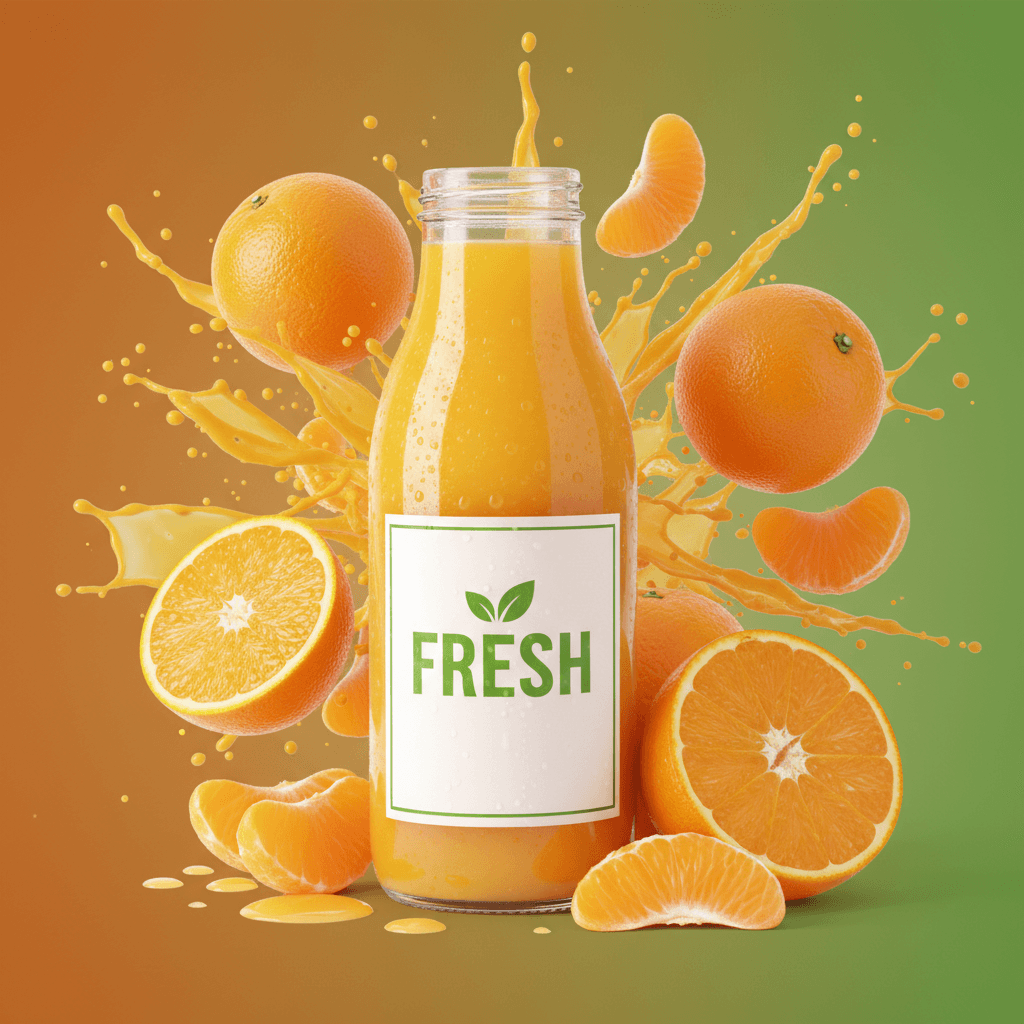
A dramatic product hero shot with fresh ingredients bursting outward around it, on a background in your brand colours, no text.
Use it when
- Launch posts for a sauce, snack, drink or supplement.
- Menu boards and delivery-app banners.
- Pitch decks that need one striking product image.
How to run it
- Upload the product on a plain background.
- Name the key ingredients ('lemons, mint, ice') and the brand colours in the prompt.
- Generate; add your text in a design tool afterwards, since the prompt asks for none.